Black plate (107,1)
北米Model "A8160BE-B" EDITED: 2010/ 10/ 14
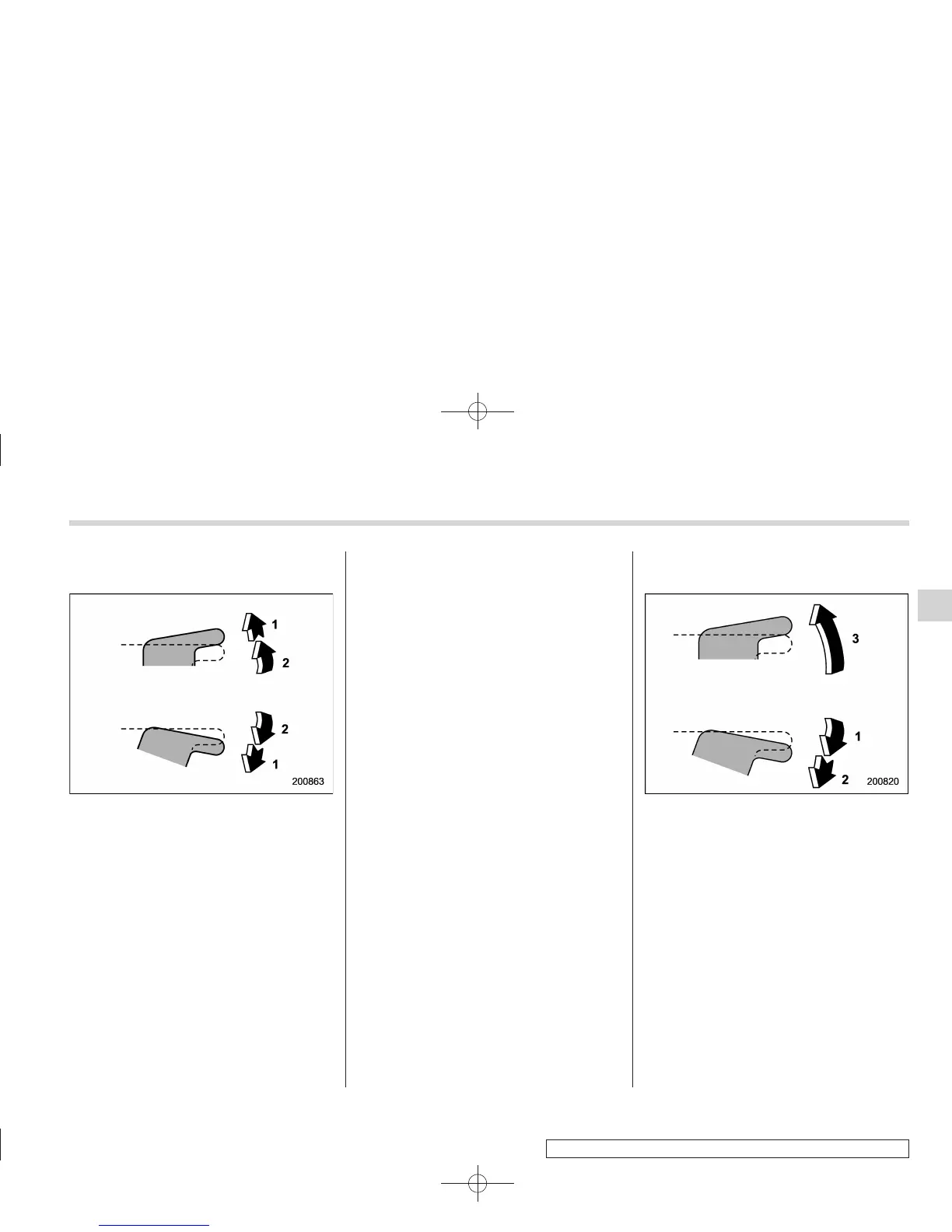
! Operating the driver’s window (type
A)
1) Automatically open/close
2) Open/close
To open:
Press the switch down lightly and hold it.
The window will open as long as the
switch is held.
This switch also has a one-touch auto
down function that allows the window to
be opened fully without holding the switch.
Press the switch down until it clicks and
release it, and the window will fully open.
To stop the window halfway, pull the
switch up lightly.
To close:
Pull the switch up lightly and hold it. The
window will close as long as the switch is
held.
This switch also has a one-touch auto up
function that allows the window to be
closed fully without holding the switch.
Pull the switch up until it clicks and release
it, and the window will fully close. To stop
the window halfway, press the switch
down lightly.
NOTE
If the vehicle’s battery is disconnected
due to situations such as battery or
fuse replacement, the one-touch auto
up/down function is deactivated. Initi-
alize the power window to reactivate
the one-touch auto up/down function.
Refer to “Initialization of power window
(type A)” F2-23.
! Operating the driver’s window
(type B)
1) Open
2) Automatically open
3) Close
To open:
Push the switch down lightly and hold it.
The window will open as long as the
switch is held.
This switch also has a one-touch auto
down feature that allows the window to be
opened fully without holding the switch.
Push the switch down until it clicks and
release it, and the window will fully open.
To stop the window halfway, pull the
switch up lightly.
Keys and doors 2-21
– CONTINUED –
2















 To Next Page