Black plate (219,1)
北米Model "A8160BE-B" EDITED: 2010/ 10/ 14
Guide that comes with the iPod
®
.
. If an iPod
®
and the connection cable
are connected improperly, the iPod
®
cannot be powered on or will not be
recognized by in-vehicle equipment. In
this case, disconnect the connection
cable from the iPod
®
, and then connect
it again.
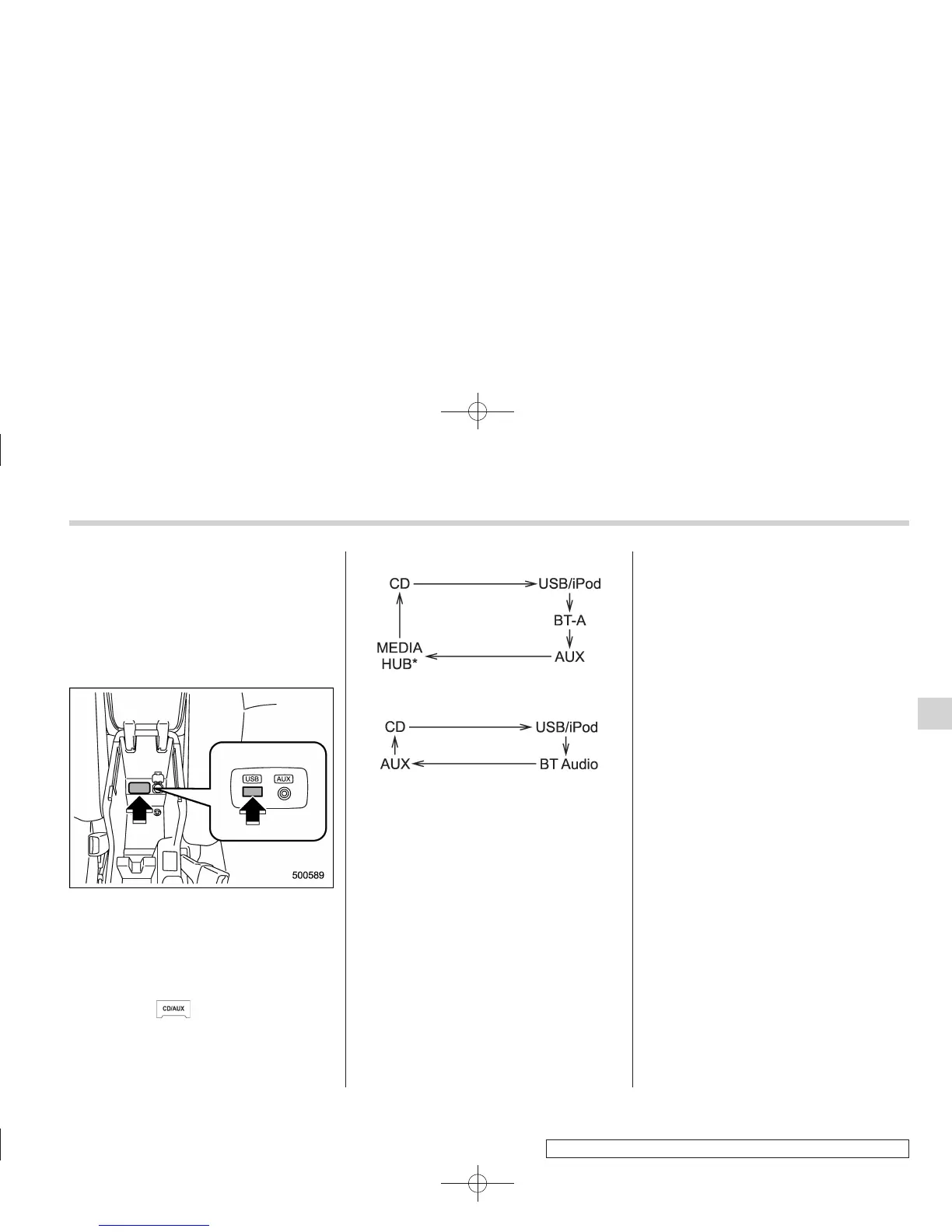
The USB connector is located in the
center console. Use the connector to
connect a USB storage device/iPod
®
.
& How to play back
1. Connect a USB storage device/iPod
®
.
2. Press the
button. Each time you
briefly press the button, the mode
changes in the following sequence.
Type C audio:
*: Only when a Media Hub is connected.
Type D audio:
When the USB/iPod
®
mode is selected,
the player will start playback of the USB
storage device/iPod
®
.
NOTE
. Depending on the number of files
stored in an iPod
®
and the firmware
version, the iPod
®
may not activate
smoothly after operation or not work
properly.
. Do not disco nnect the connector
from an iPod
®
during iPod
®
operation.
& To select a track/index from
its beginning
Select a track/index in the same way that
a track is selected when a CD is played.
For details, refer to “To select a track from
its beginning” F5-25.
& To select a chapter from its
beginning when connecting
iPod
®
While podcasts or audiobooks are playing,
select a chapter in the same way that a
track is selected when a CD is played. For
details, refer to “To select a track from its
beginning” F5-25.
& Fast-forwarding and fast-re-
versing
Fast forward or reverse is operated in the
same way a CD is played. For details,
refer to “Fast-forwarding and fast-rever-
sing” F5-25.
NOTE
When connecting iPod
®
:
. When the end of an index is reached
while fast forwarding, fast forwarding
ends and play begins from the begin-
ning of the next index.
. When the beginning of an index is
reached while rewinding, rewinding
Audio 5-35
– CONTINUED –
5















 To Next Page