Black plate (224,1)
北米Model "A8160BE-B" EDITED: 2010/ 10/ 14
5-40 Audio
! With radio mode selected
Press the “
” button or “ ” button briefly.
The radio will seek the next preset station
and stop on it.
Press the “
” button or “ ” button
continuously. The radio will seek the next
receivable station and stop on it.
That station’s frequency will be shown on
the audio display.
! With CD mode selected
Press the “
” button to skip forward in the
track/file order. Press the “
” button to
skip backward in the track/file order. The
track/file number will be shown on the
audio display.
When the MP3/WMA/AAC format track is
playing, press the “
” button continuously
to select the next folder. Press the “
”
button continuously to go back to the
previous folder.
! With USB/iPod
®
mode selected
Press the “
” button to skip forward in the
track/file order. Press the “
” button to
skip backward in the track/file order. The
track/file number will be shown on the
audio display.
! With SAT mode selected
Press the “ ” button to skip forward in the
channel order. Press the “
” button to
skip backward in the channel order.
The channel will be shown on the audio
display.
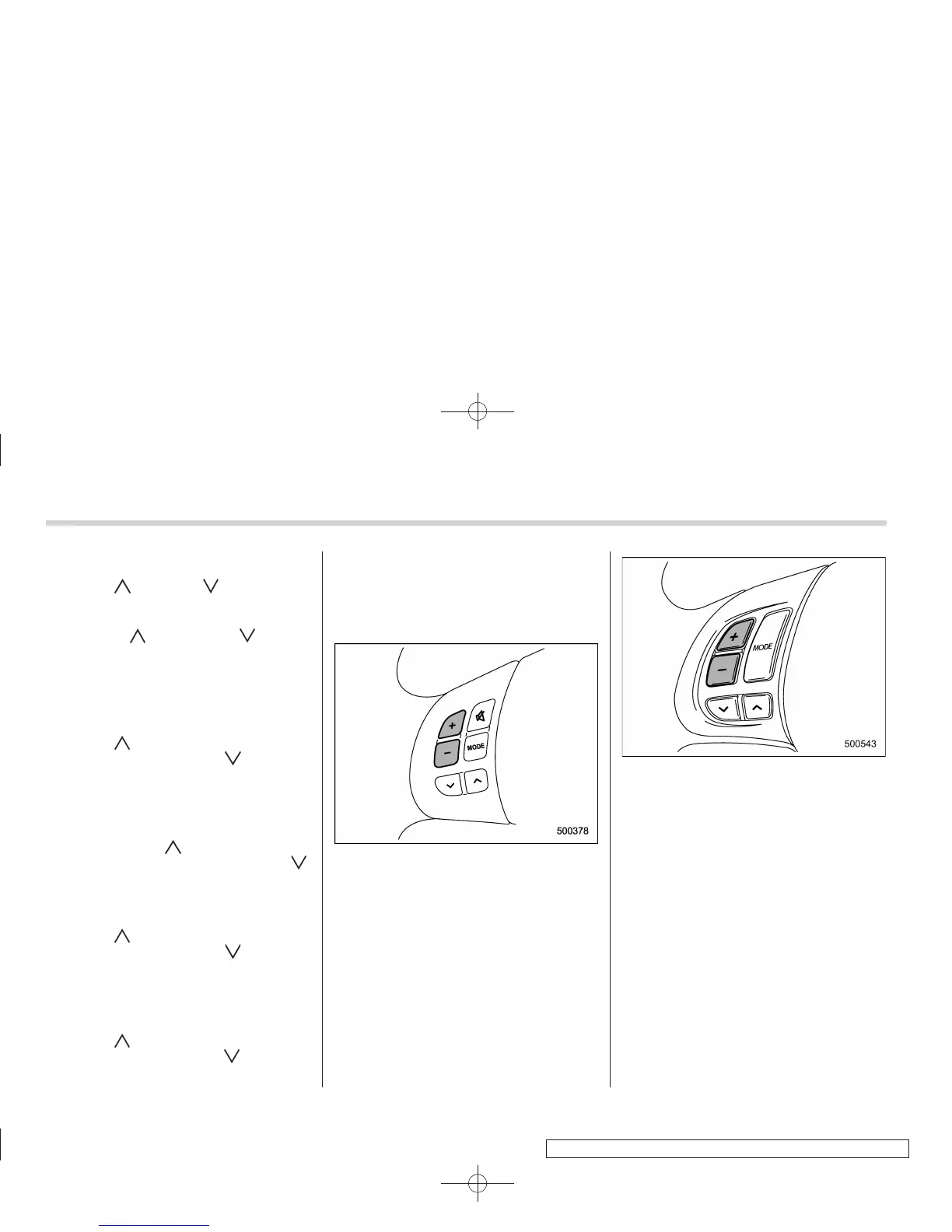
& Volume control buttons
Models without Hands-free system
Models with Hands-free system
Press the “+” button to increase the
volume. Press the “−” button to reduce
the volume.
A number indicating the volume will be
shown on the audio display.















 To Next Page