2: Operation EC2000 Controller Operation Manual
10 88290022-798 R03
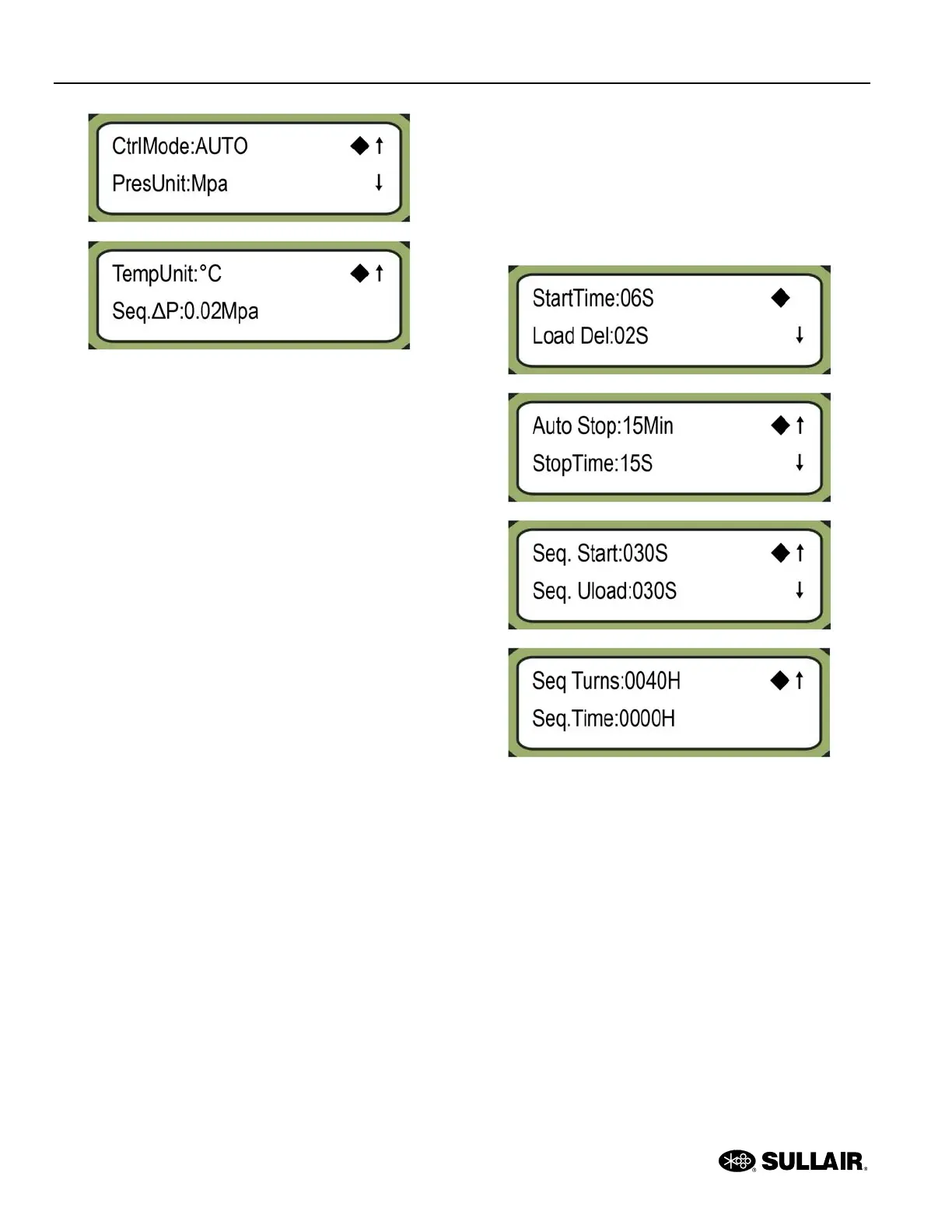
• Unload P:—unload pressure
• Load P:—load pressure
• FanStart:—fan motor start
• Fan Stop:—fan motor stop
• CommMode:—communication mode
• Unit No.:—unit number
• Language:—language
• Password:—password
• CtrlMode:—control mode
• PresUnit:—pressure unit
• TempUnit:—temperature unit
• Seq.ΔP:— sequence control use P
The to the right of the display indicates the currently
selected parameter.
An up arrow indicates there are more parameters before
the parameters shown. A down arrow indicates there are
more parameters after the parameters shown.
• You can move to the previous parameter by
pressing the Up button.
• You can move to the previous parameter by
pressing the Down button.
To edit the currently selected parameter, press the
Shift/Enter key. The blinking cursor indicates the current
digit.
• Press the Up button to increase the value of the
current digit by 1.
• Press the Down button to decrease the value of
the current digit by 1.
• Press the Shift/Enter button to move the cursor
to the next digit.
• Press the Set button to save the new parameter
value.
To return to the compressor settings menu, press the Re-
turn button.
2.4.2 Time parameter settings
To access the Time parameter settings, at the compres-
sor settings menu select Time and press the Shift/Enter
button.
• StartTime:—starting time
• Load Del:—loading delay
• Auto Stop:—idle stop time
• StopTime:—stop delay
• Seq. Start:—sequence starting time
• Seq. Unload:—sequence unloading time
• Seq Turns:—sequence rotation time
• Seq.Time:—sequence control use time
The to the right of the display indicates the currently
selected parameter.
An up arrow indicates there are more parameters before
the parameters shown. A down arrow indicates there are
more parameters after the parameters shown.
• You can move to the previous parameter by
pressing the Up button.




 To Next Page