User’s Manual - 14
Copyright(c) 2005, Sun Microsystems, Inc. All rights reserved.
On-Screen Display
OSD How to adjust
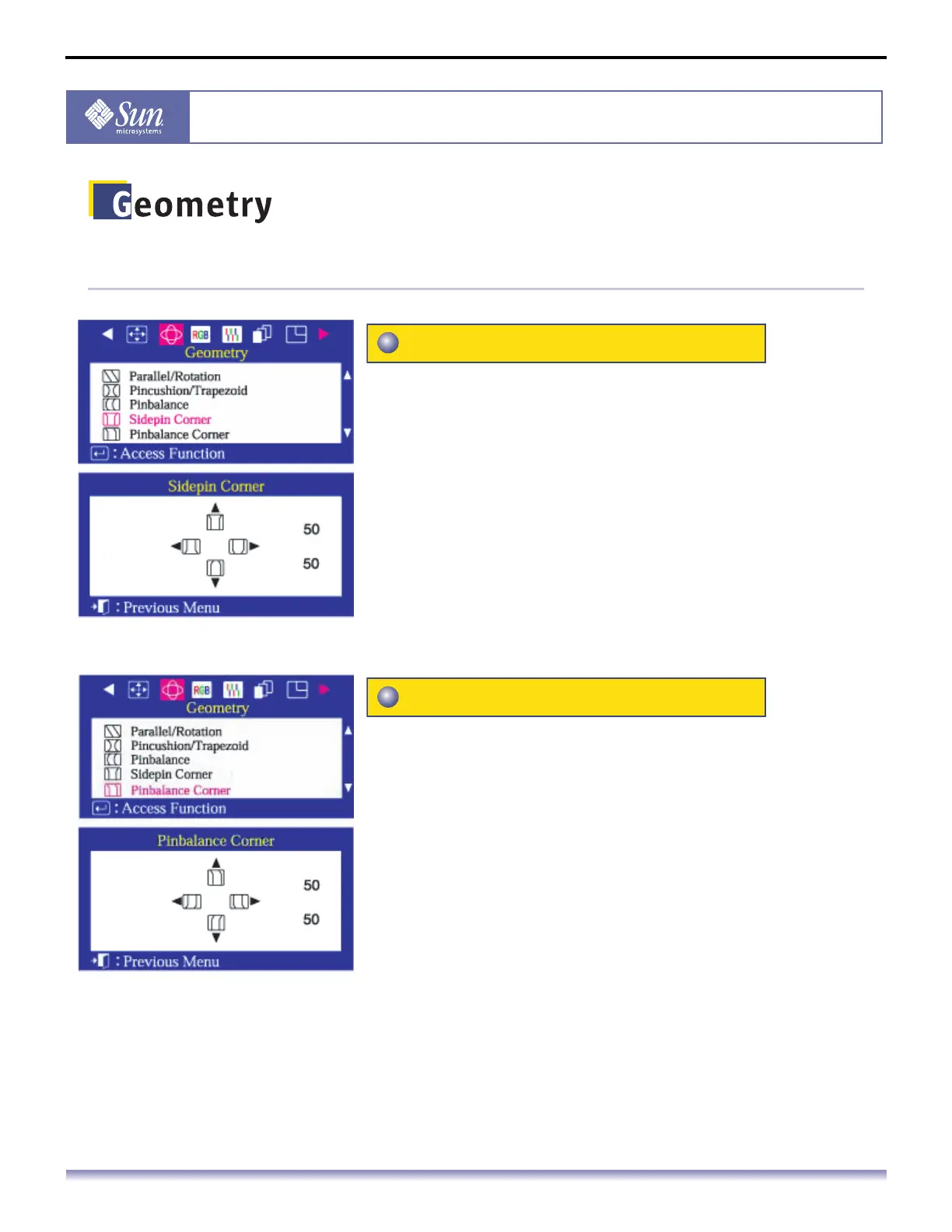
Adjust the sidepin corner correction when the corners of
the display curve out or in at the top or bottom of the
display.
1. Push the Menu button.
2. Push the button or button until the Geometry screen is
displayed.
3. Push the button or button to select Sidepin Corner.
4. Push the Menu button to open the Sidepin Corner
adjustment screen.
5. Use the or buttons to adjust the SidePin Corner
correction.
Adjust the pinbalance corner correction when the corners
of the display curve to the left or right at the top or
bottom of the screen.
1. Push the Menu button.
2. Push the button or button until the Geometry screen is
displayed.
3. Push the button or button to select Pinbalance
Corner.
4. Push the Menu button to open the Pinbalance Corner
adjustment screen.
5. Use the or buttons to adjust the Pinbalance Corner
correction.
Sidepin Corner
Pinbalance Corner



 To Next Page