User’s Manual - 18
Copyright(c) 2005, Sun Microsystems, Inc. All rights reserved.
On-Screen Display
OSD How to adjust
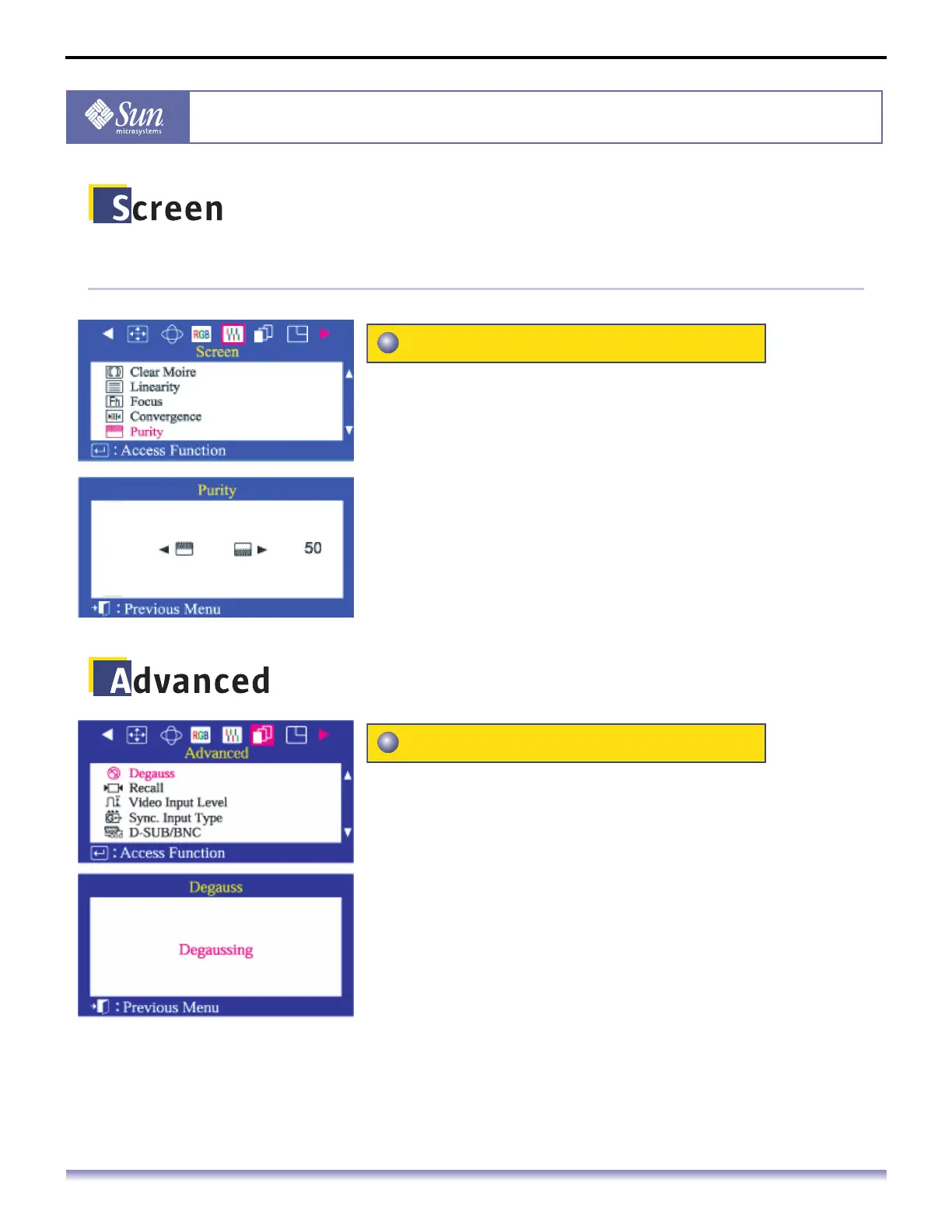
Adjust the color purity of the picture.
1. Push the Menu button.
2. Push the button or button until the Screen menu is
displayed.
3. Push the button or button to select Purity.
4. Push the Menu button to open the Purity adjustment screen.
5. Use the button or button to perform the adjustment.
The Degauss feature will remove color impurities caused
by magnetic fields. Do not use the Degauss feature more
than once within a 30-minute period.
Note: The monitor may buzz momentarily, the image colors may
change and the image will jiggle for a few seconds. These
effects are normal.
1. Push the Menu button.
2. Push the button or button until the Advanced screen is
displayed.
3. Push the button or button to select Degauss.
4. Push the Menu button to execute the degauss function. The
degaussing screen will appear. After a few seconds, the
degauss main menu will return.
Purity
Degauss



 To Next Page