User’s Manual - 22
Copyright(c) 2005, Sun Microsystems, Inc. All rights reserved.
On-Screen Display
OSD How to adjust
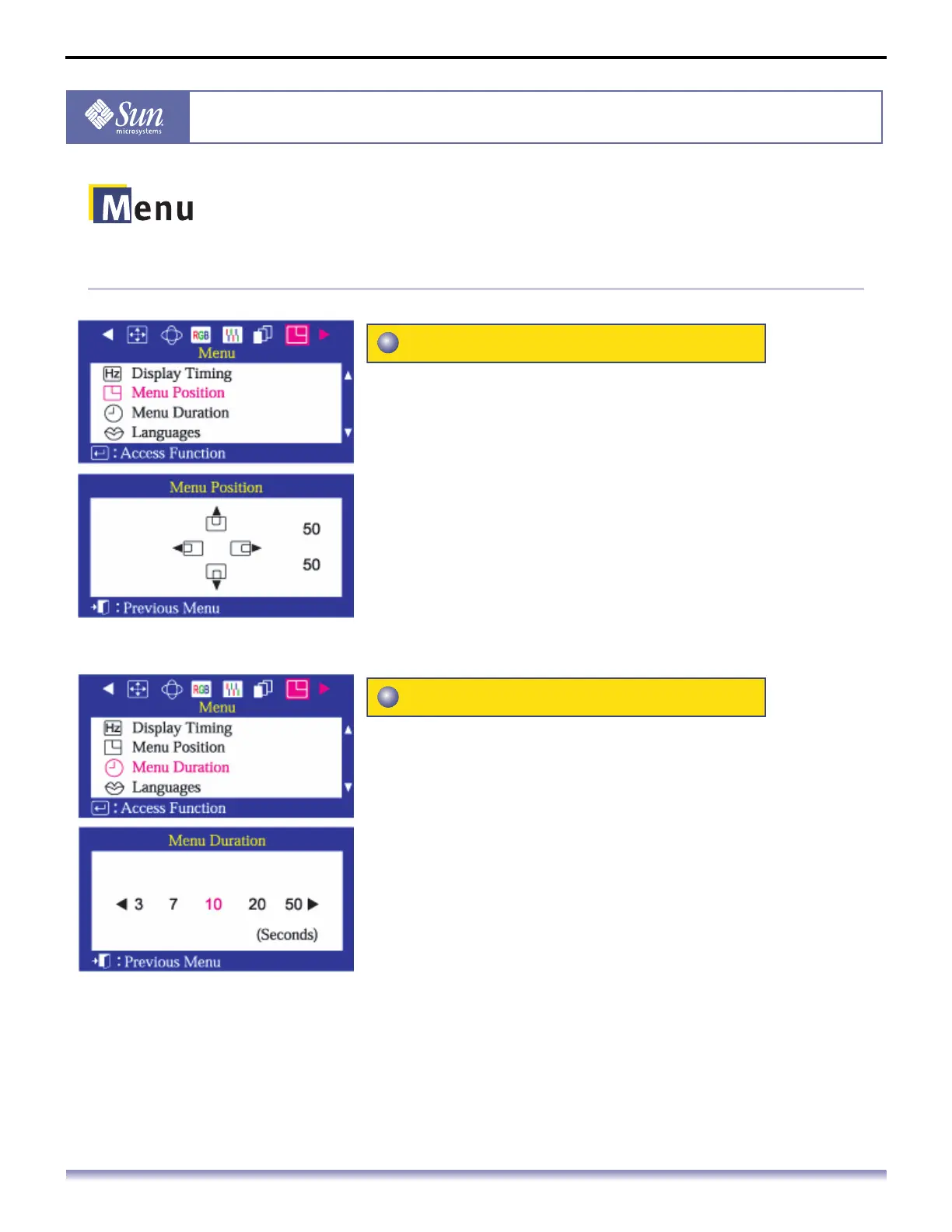
You can change the position where the OSD menu
appears on your monitor.
1. Push the Menu button.
2. Push the button or button until the Menu screen is
displayed.
3. Push the button or button to select Menu Position.
4. Push the Menu button to open the Menu Position
adjustment screen.
5. Use the or button to place the menu in the
position you prefer.
The menu will automatically turn off if no adjustments
are made for a certain time period.
You can set the amount of time the menu will wait before
it turns off.
1. Push the Menu button.
2. Push the button or button until the Menu screen is
displayed.
3. Push the button or button to select Menu Duration.
4. Push the Menu button to open the Menu Duration selection
screen.
5. Use the button or buttons to select 3, 7, 10, 20 or 50
seconds. 10 seconds is the default value.
Menu Position
Menu Duration



 To Next Page