SWDM240B OPERATION & MAINTENANCE MANUAL
Above interface is used for checking the engine fault information: Enter this interface, you'll
find the details about the engine fault when the indicator light of the engine becomes yellow or
red.
Enter the "Record Interface" (FIG. 3.2.1-16) by clicking "Return" (key 8).
3.2.1.12 Construction Record
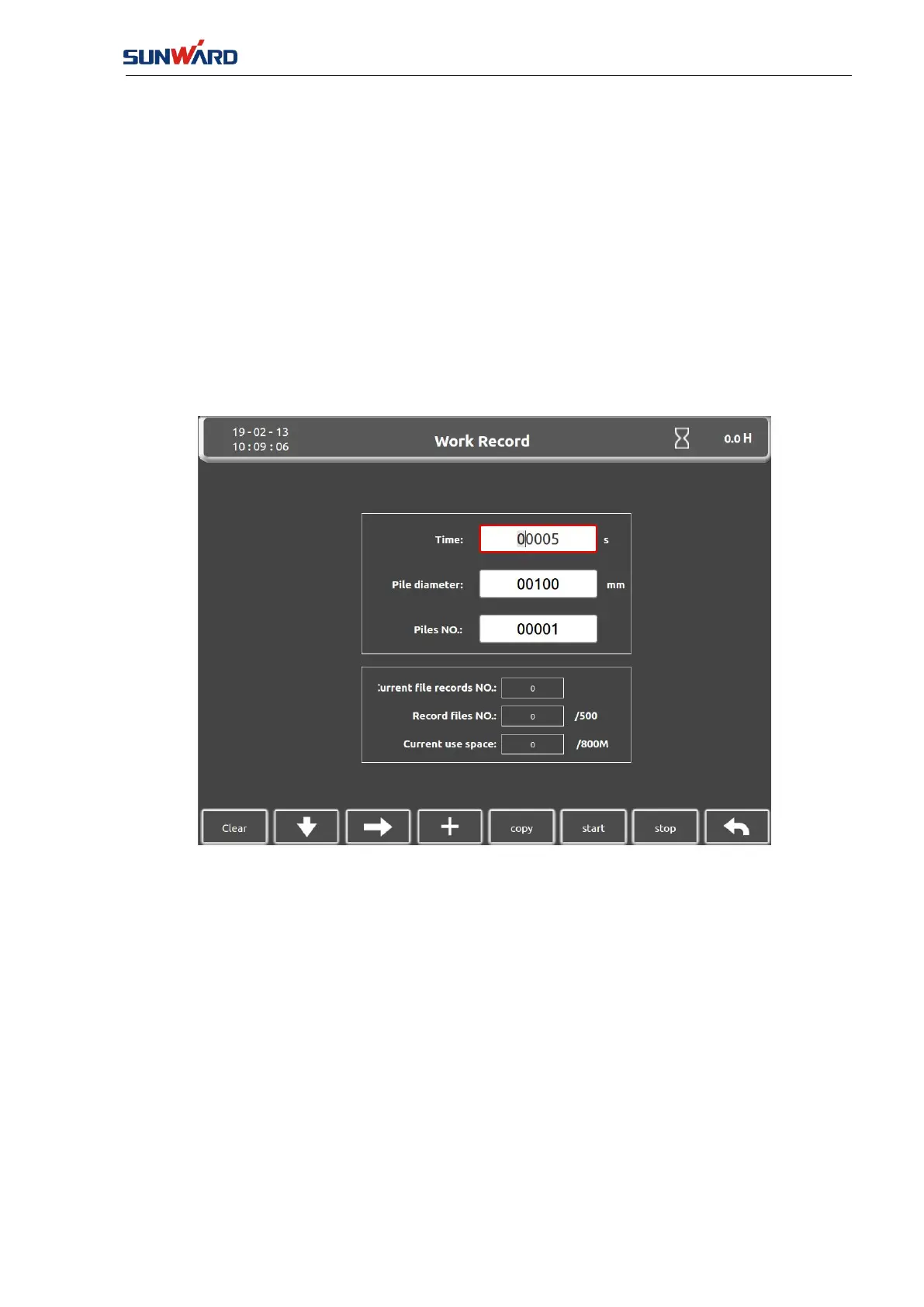
Enter the "Construction Record Interface" by clicking the "Constriction Record"(key 6) in the
"Main Monitor Interface" (FIG. 3.2.1-7).
FIG. 3.2.1-20
Follow below steps to record the data.
①Set the pile number, pile diameter, recording time;
②
Press down the starting record button (key 6) to enable the system data recording.
③After finishing the pile, press down the record button (key 7) to disable the system recording.
④Copy the data out to a U disk by pressing down the U disk button (key 5).
⑤
The data in the recorded file consist of time, date, pile number, pile diameter, depth, vertical
angle of the mast, the flow and pressure of slurry, the pressure of rotary head, the rotation speed
of engine.
Enter the "Record Interface" (FIG. 3.2.1-16) by clicking "Return" (key 8).



 To Next Page