OPERATION & MAINTENANCE MANUAL SWE215F
disappear and the air conditioner stops running.
8. A/C ON/OFF switch
The switch is used to control the start and shutdown of the A/C
system (for cooling, heating, and dehumidification). Press down
the A/C switch ⑧, and the air conditioner starts and its indicator
light is turned on; to press it down again can shut down air
conditioner and the light is turned off.
Note: if the fan does not start (the LCD screen shows the air
feed state), the air conditioner will not be started (for cooling,
heating, or dehumidification) by pressing down the button ⑧.
If it is needed to use the air conditioner, firstly press down the
air flow rate regulating button ② to select an air flow rate to
ensure that the fan is started and then press the A/C button
again.
Caution
When the air conditioner is used, do not turn the
temperature control switch to the COOL position, and
instead, switch the air flow rate switch to the low position to
prevent the evaporator from frosting and the cooling effect
from being affected.
When an air conditioner refrigerates in summer, do not open
the hot water valve so as to affect the cooling effect caused
by the frost evaporimeter.
Because the heating system adopts the engine coolant as its
heat source, the air conditioner can heat in the heating mode
only when the machine runs for a while and the engine
coolant temperature is up to more than 50℃, in case of a low
ambient temperature.
The air conditioner has the intelligent memory function:
when switching off the excavator's power supply, the air
conditioners running state (including shutdown) is saved;
when the excavator's power supply is switched on, the air
conditioner will automatically return to the state saved
previously.
Typical Operation Procedures
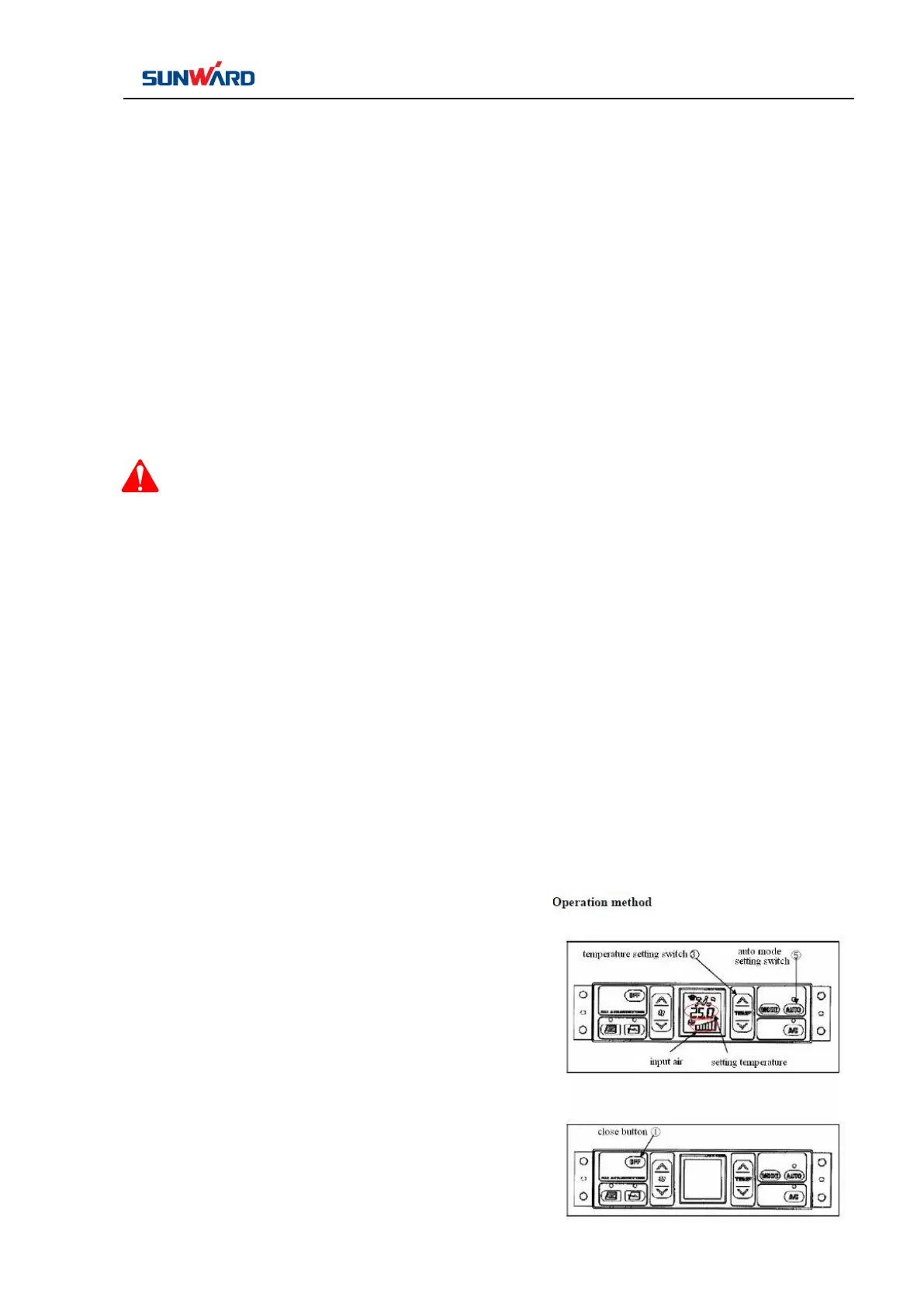
1. The auto mode setting switch ⑤ is on and the temperature, air
flow rate, auto switch, and A/C switch indicator lights on the
LCD screen are on.
2. Adjust the temperature switch and set the temperature to a
comfortable value. Set the temperature accordingly, and the air
conditioner automatically switches in the air flow rate, air outlet,
and internal/external circulation. The air conditioner runs
automatically to reach the set temperature.
Remarks: in the auto mode, the air flow rate is automatically



 To Next Page