19
14 —Working Light control button
Press this button, the working light comes up.
15 — Screen switch button
Press this button, the screen will show the working hour and speed; press the button again, it will
show the time.
16 —Fuel level indicator
This indicates the fuel level. The pointer is within green range when the fuel level is normal; if it
goes into the red range, it means fuel in tank is lower than 10%; the LCD will flicker with buzzer
alarming.
17 — Excavator monitor
Other parts of this monitor.
18 — Fuel level warning indicator
If the fuel level is normal, green lamp comes on; if red lamp comes
on and LCD flicker, that means only litter fuel in tank, it should
check and fill fuel.
19—Cooling water temperature warning indicator
When the water temperature is normal, there’s no display, the signal
lights up when the temperature is high(about 105 degree), the
buzzer warns and the screen shows “Cooling water temperature is
too high” at the same time.
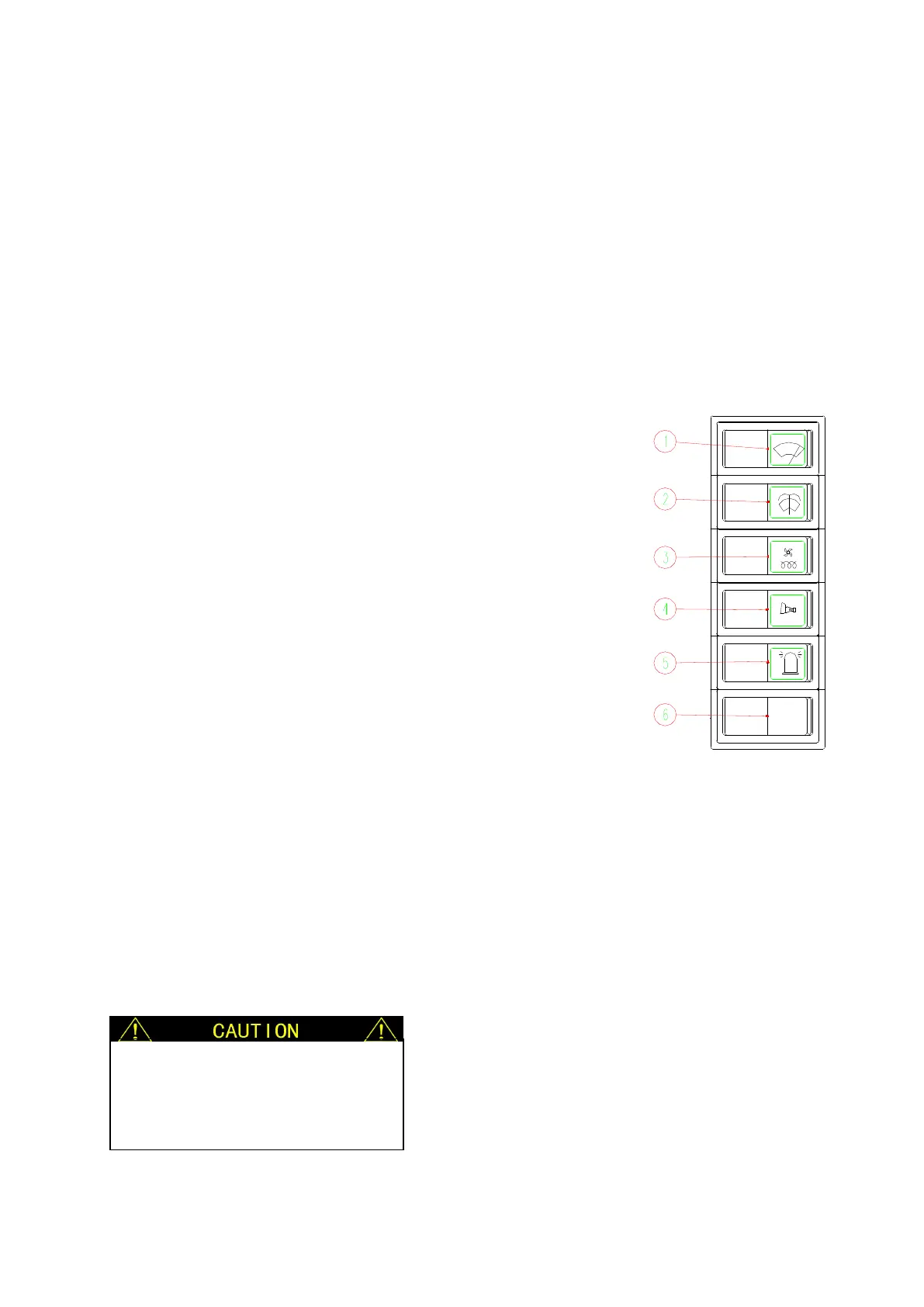
2.5 WANE CONTROL PANEL
1-windshield wiper switch
This switch turns on and off the cabin windshield wiper. When press this button, wiper starts
working, and the green lamp turns on, press the button again, green light turns off, which means
the wiper has stopped.
This is a two-gear switch, first half is the first gear (low speed), the second half is the second
gear (high speed).



 To Next Page