67
3. Select MANUAL control mode on the small touch screen on your console.
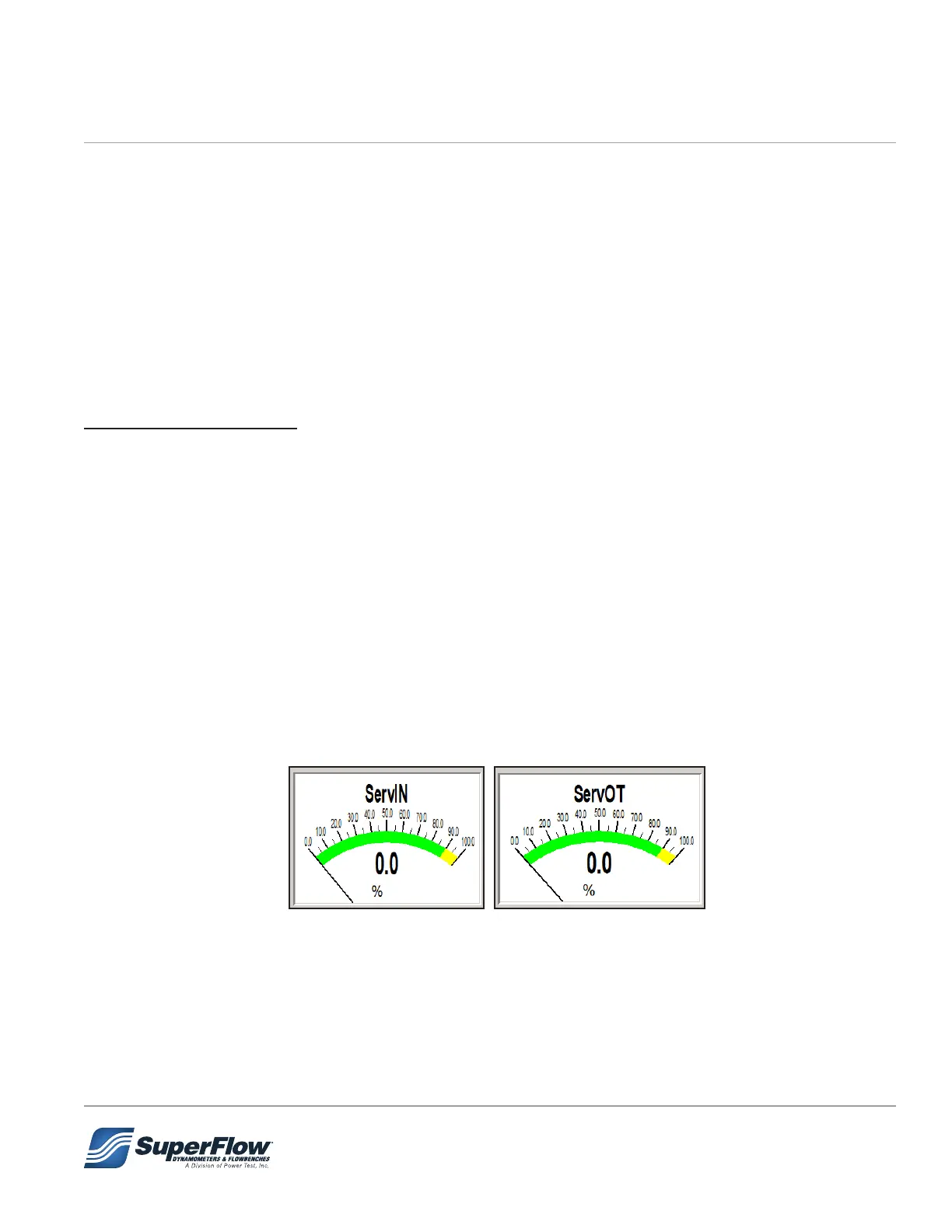
4. Turn the load control knob up and down, from 0% to 100% and observe those screen objects move
from 0-100%
5. Now have someone else turn the knob and go into your dyno cell and observe the valves themselves
inside the engine stand and see if they are indeed moving when the operator turns the knob.
6. If the valves check out, then you know they are at least capable of moving. That checks out most of the
electronics.
7. Your valves still may not be indexed properly. Indexing 902S servo valves is addressed in a separate
procedure that can be obtained from SuperFlow Customer Service.
Automated test mode:
1. Load the Diag_Pmk.tgp test group into your system. If you do not have this test group, contact
SuperFlow Customer Service for a copy.
a. This contains a cong le (.cfa) that changes the inlet valve control mode to always copy the outlet
valve.
b. Thus, it will allow you to control both inlet and outlet control valves in manual mode control without
the engine running. Normally, the inlet valve will not move until engine RPM exceeds 500.
c. If you don’t have the Diag_Pmk.tgp, but have the WinDyn Cong editor enabled on your system,
you may edit the SetIn channel (103) as follows to enable the inlet valve to copy the outlet valve:
return(system(1,1,0,0)/40.96);
d. If you do edit your cong le, don’t forget to return the channel to the original setting when you are
nished diagnosing your servo valves. Write down that setting before you edit the le in step C
above.
2. Observe WinDyn screen objects showing the servo in and servo out percentage (objects are typically
on screen 2 or 6; if not add the objects by editing your screen).
Figure 7.2 Servo IN and OUT Percentage
3. Install the DiagTest.tpf test prole. If you do not have this test, contact SuperFlow Customer Service
for a copy.
4. Start the test prole and follow its on screen instructions to perform the RAMP test.
5. Observe those screen objects move from 0-100% and back automatically.
6. Observe your inlet and outlet valve inside the engine stand cabinet to see if the valves are ramping
open and closed.
7.0 Troubleshooting


 To Next Page