2-22
X7SB4/X7SBE User's Manual
X7SB4
A
Alarm Reset
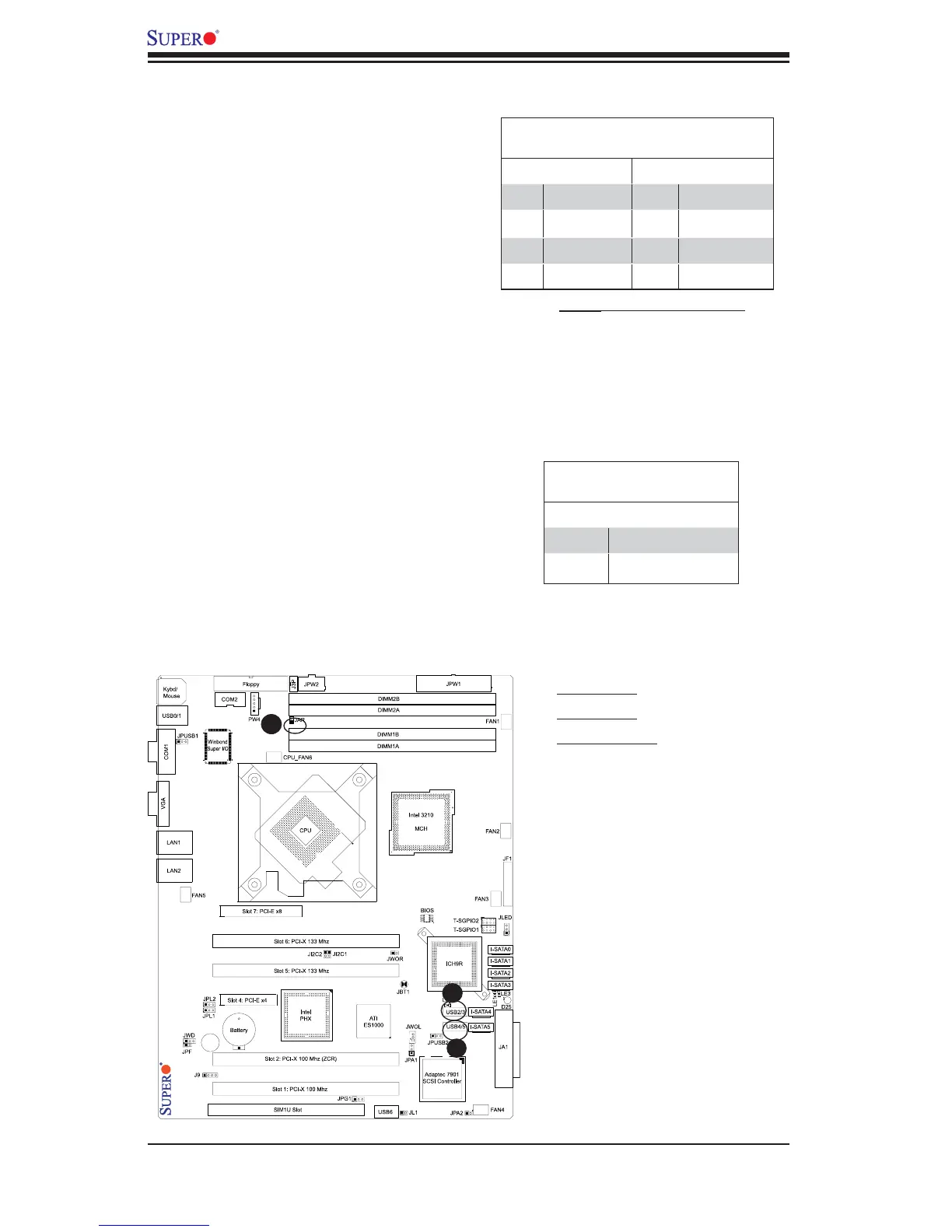
If three power supplies are installed,
the system will notify you when any of
the three power modules fails. Connect
JPR1 to a micro-switch to enable you to
turn off the alarm that is activated when
a power module fails. See the table on
the right for pin defi nitions.
Alarm Reset
Pin Defi nitions
Pin Setting Defi nition
Pin 1 +5V
Pin 2 Ground
Serial_Link GPIO Headers
Two Serial_Link General Purpose Input/
Output (GPIO) headers (T_SPIO1 & T_
SPIO2) are located on the motherboard.
These headers are used to communicate
with the System Monitoring Chip on the
backplane. See the table on the right for
pin defi nitions. Refer to the board layout
below for the locations of the headers.
SATA_GPIO
Pin Defi nitions
Pin# Defi nition Pin Defi nition
1 *NC 2 *NC
3 Ground 4 DATA Out
5 Load 6 Ground
7 Clock 8 *NC
Note: NC= No Connections
B
C
A. T_GPIO1
B. T_GPIO2
C. Alarm Reset



 To Next Page