Chapter 2: Installation
2-23
X7SB4
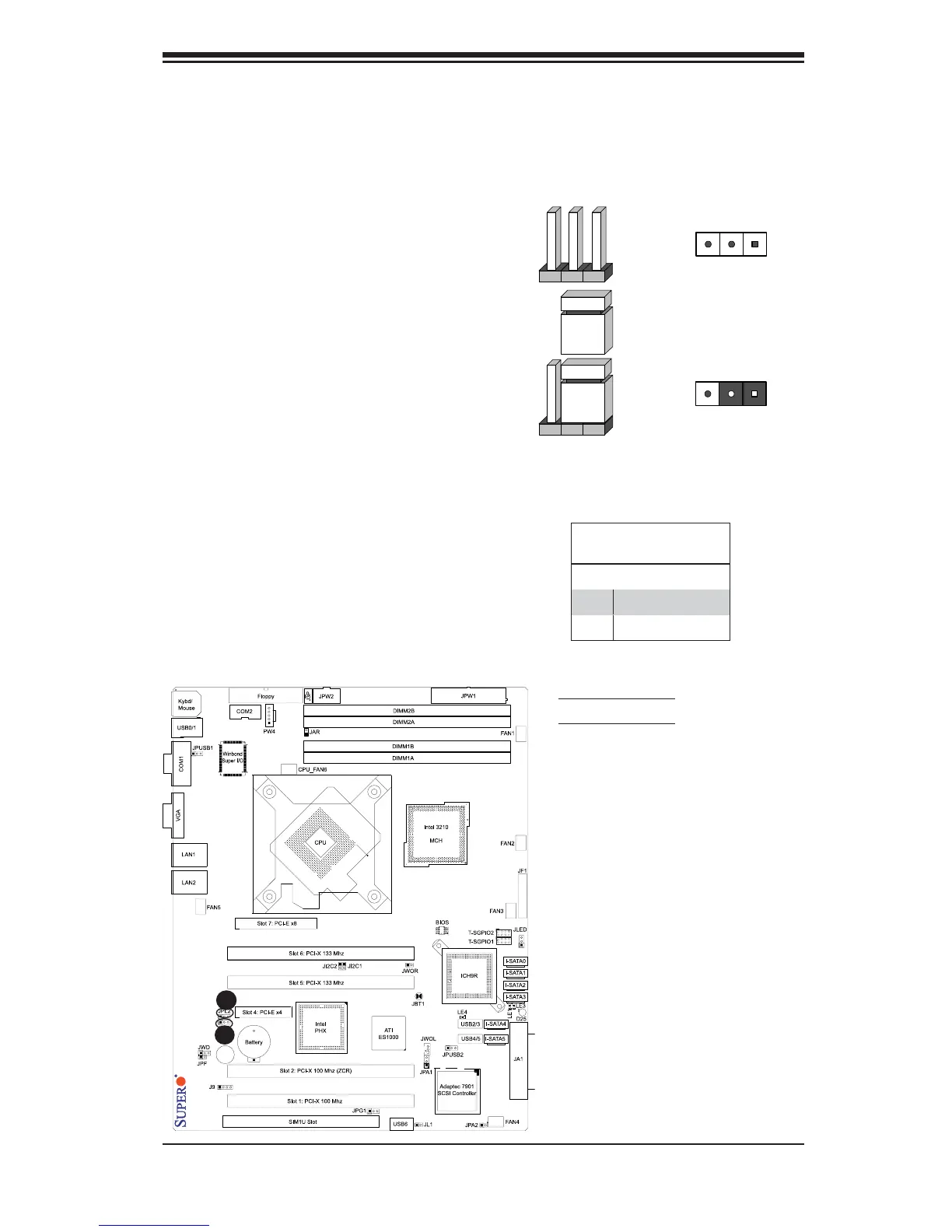
2-7 Jumper Settings
Explanation of Jumpers
To modify the operation of the
motherboard, jumpers can be used
to choose between optional settings.
Jumpers create shorts between two
pins to change the function of the
connector. Pin 1 is identified with
a square solder pad on the printed
circuit board. See the motherboard
layout pages for jumper locations.
Note: On two pin jumpers, "Closed"
means the jumper is on and "Open"
means the jumper is off the pins.
GLAN Enable/Disable
JPL1/JPL2 enable or disable the GLAN
ports on the motherboard. See the table
on the right for jumper settings.The de-
fault setting is enabled.
Connector
Pins
Jumper
Setting
3 2 1
3 2 1
B
A
A. GLAN1 Enable
B. GLAN2 Enable
GLAN Enable
Jumper Settings
Pin# Defi nition
1-2 Enabled (*default)
2-3 Disabled



 To Next Page