9 Configuration
9.2 Using the optional sensor display
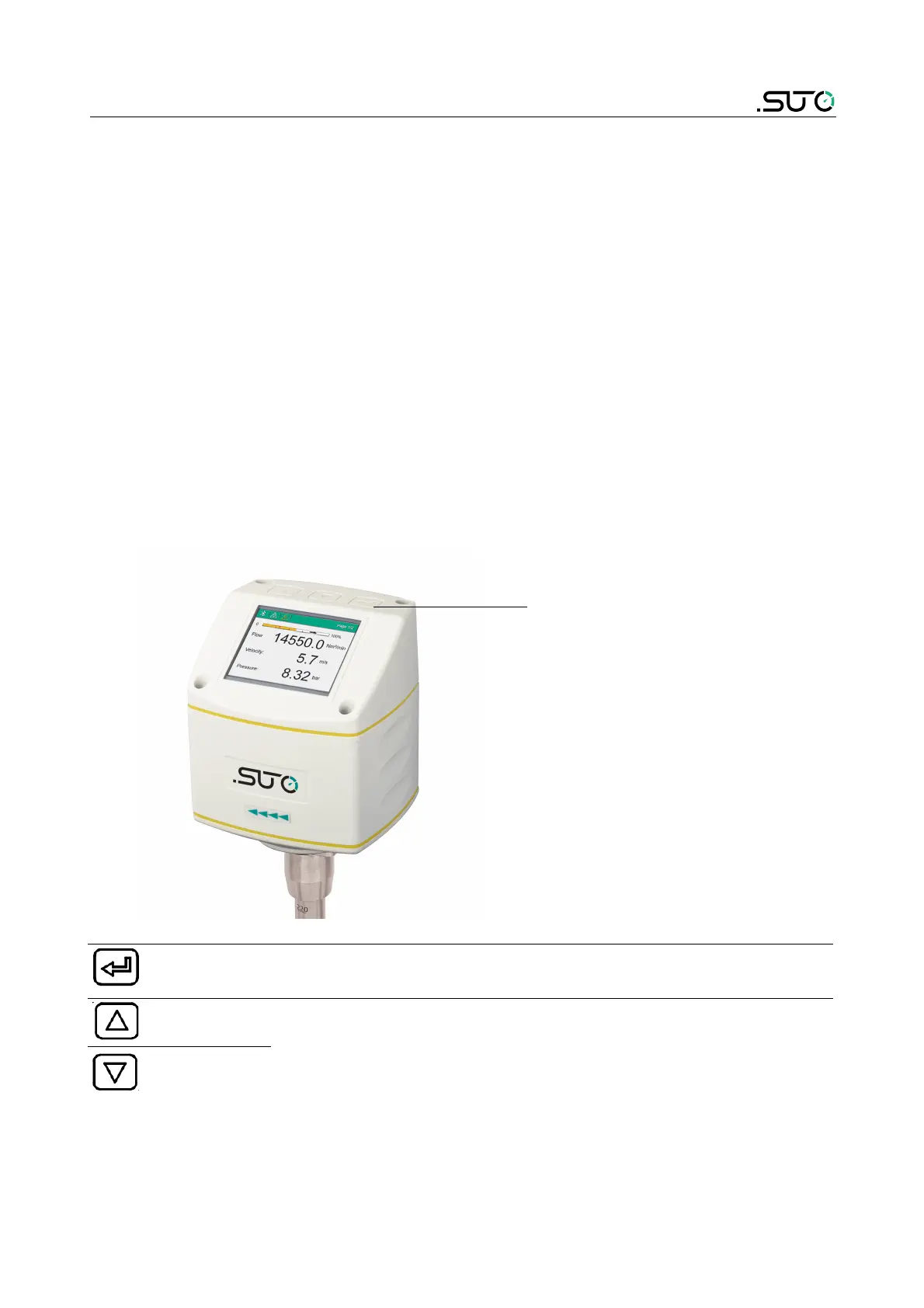
If the sensor comes with the display, you can use this display to view
measurement values and configure the flow sensor.
9.2.1 Start-up
After the sensor is powered on, the display automatically starts an
initialization procedure.
In the next eight seconds the display shows the current software
version and set up the connection with the sensor. After that, the
display enters the standard mode, showing the online measurement
values including flow, velocity, and pressure.
9.2.2 Operations
Keys
Operation keys
Enter key Press for >3 seconds to enter the configuration mode.
Press to confirm your selection.
Up key
Press to choose a parameter item, entry box, or to adjust
the value.
Down key
S430 33



 To Next Page