To get correct readings, you need to match the profile to your activity. You can
either let Suunto Ambit decide a suitable profile for the activity, or choose a
profile yourself.
NOTE: You can define the profile as part of the custom mode settings in
Movescount, or in your Suunto Ambit.
9.2.1 Setting profiles
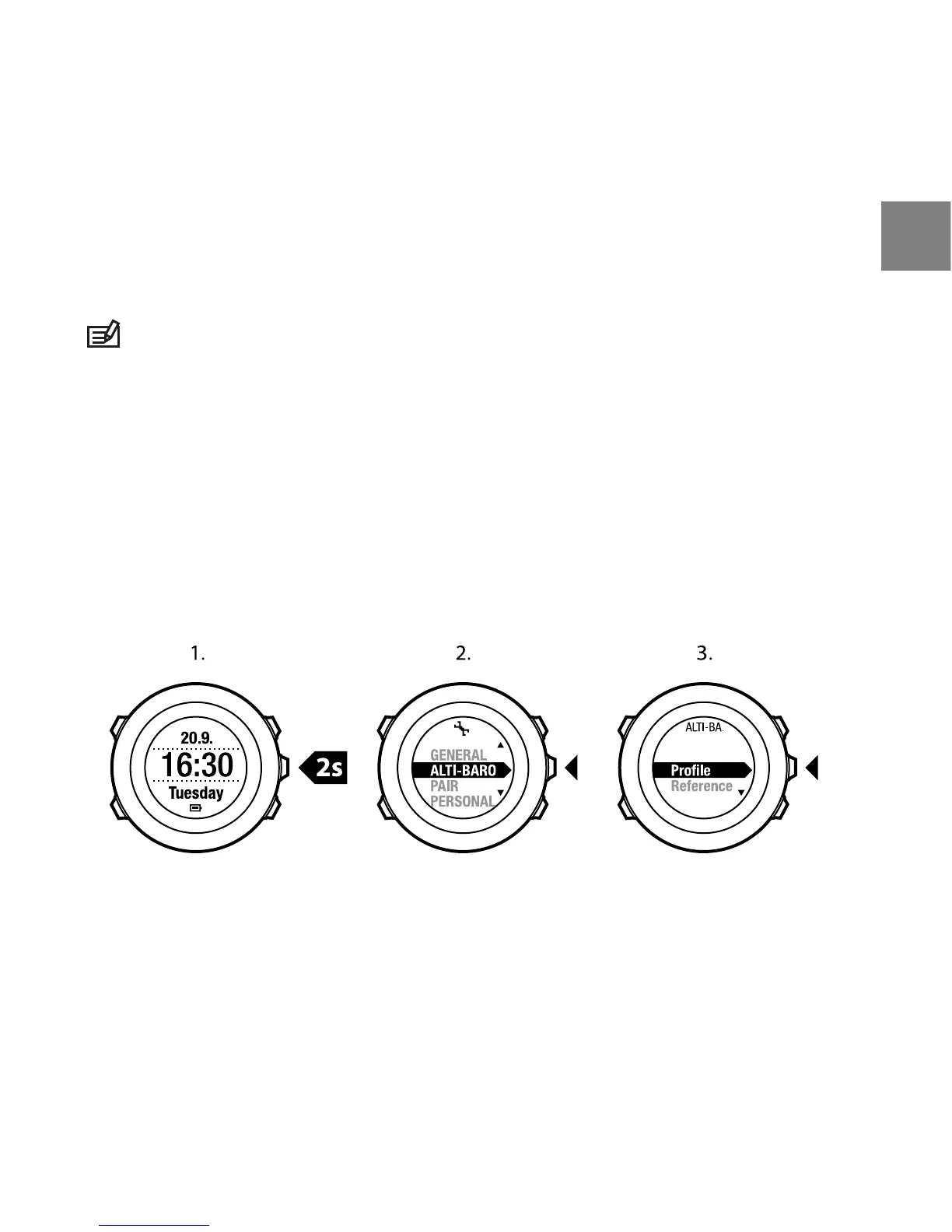
To set the ALTI & BARO profile:
1. Keep [Next] pressed to enter the settings.
2. In the settings, scroll to ALTI-BARO with [Light Lock] and enter with [Next].
3. Select Profile with [Next].
4. Scroll the profile options (Automatic, Altimeter, Barometer) with [Start
Stop] or [Light Lock]. Select a profile with [Next].
9.2.2 Setting reference values
To set the sea level pressure and altitude reference values:
1. Keep [Next] pressed to enter the settings.
2. In the settings, scroll to ALTI-BARO with [Light Lock] and enter with [Next].
37
en



 To Next Page