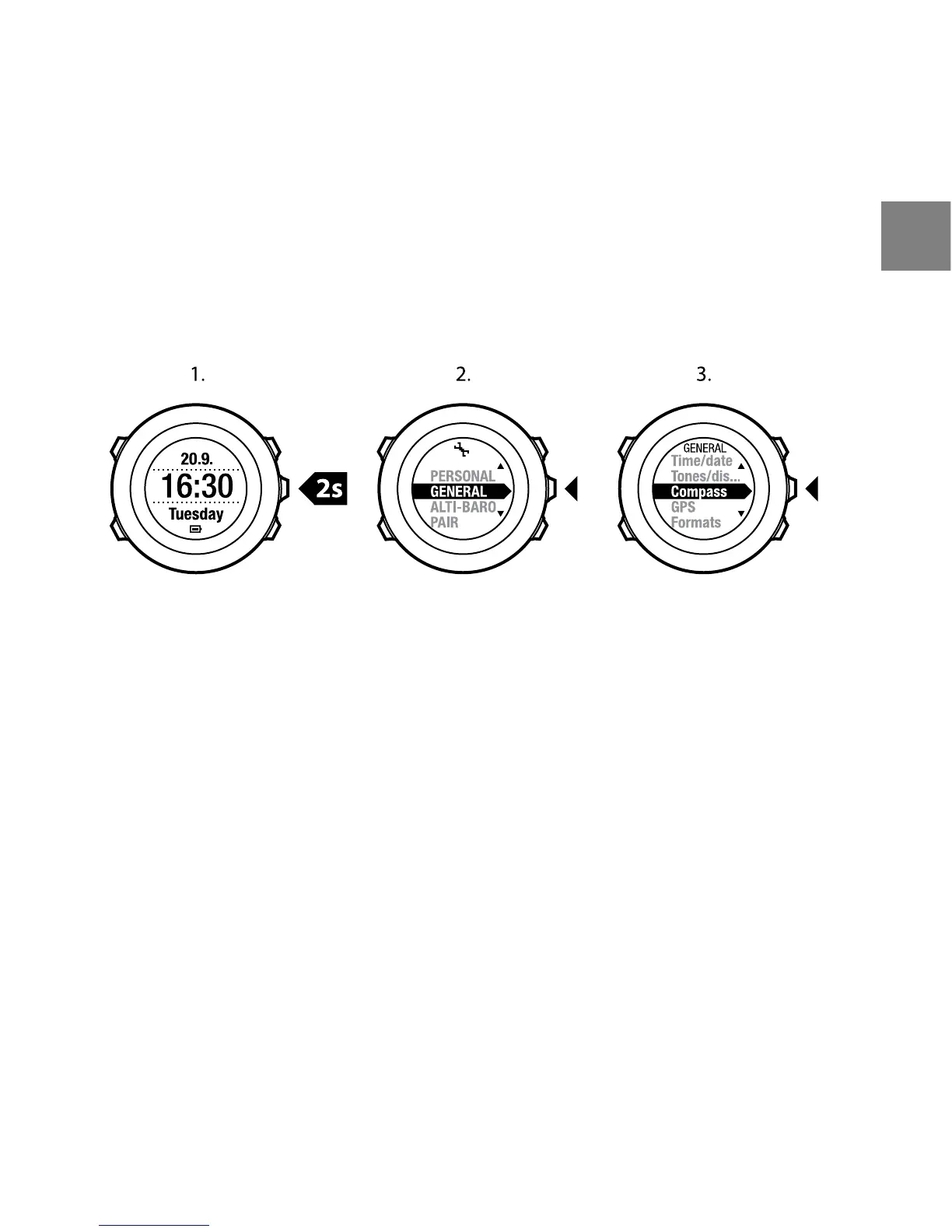
To access the compass calibration:
1. Keep [Next] pressed to enter the settings.
2. In the settings, scroll to GENERAL using [Light Lock] and enter with [Next].
3. Scroll to Compass using [Start Stop] or [Light Lock] and enter with [Next].
4. Press [Next] to select Calibration.
To calibrate the compass:
1. Keep the device as level as possible and rotate it until the outer rim
segments of the display are filled and you hear a sound confirming the
calibration was successful. The text Level is blinking on the display when
the device is not leveled.
2. The tilt calibration starts automatically after a successful level calibration.
Keep the device tilted at 90º until you hear the confirmation sound and the
text Calibration successful is displayed.
If the calibration does not succeed, the text Calibration failed is displayed.
To retry the calibration, press [Start Stop].
43
en



 To Next Page