NOTE: In case of abnormal capacity decrease due to defective battery, Suunto
warranty covers the battery replacement for 1 year or for at maximum 300 charging
times, whichever comes first.
TIP: If the device is taking GPS fix each second, the charge lasts at least ~15
hours. If the device is taking GPS fix only every 60 seconds, the duration of the
charge is ~50 hours.
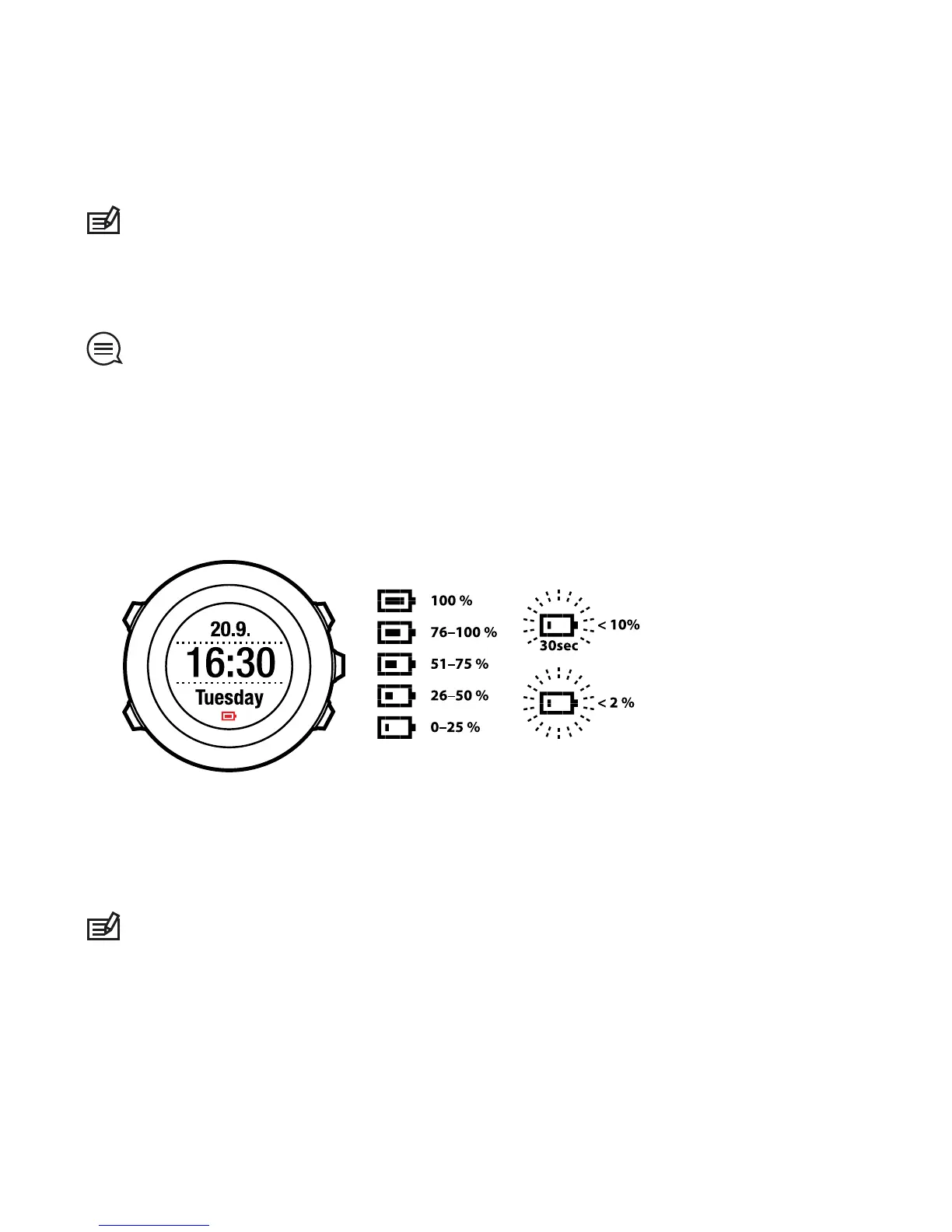
The battery icon indicates the charge level of the battery. When the battery
charge level is less than 10 %, the battery icon blinks for 30 seconds. When the
battery charge level is less than 2 %, the battery icon blinks continuously.
Charge the battery by attaching it to your computer with the Suunto USB cable,
or charge with the USB-compatible Suunto wall charger. It takes approximately
2-3 hours to fully charge an empty battery.
NOTE: To ensure longer battery lifetime, only charge when the battery is empty
and charge until the battery is completely full. Battery renewal is not part of the
warranty.
80



 To Next Page