NEXUS STATION | TECHNICAL OPERATIONS AND MAINTENANCE GUIDE APR/2017
85 INSTRUCTIONS FOR TROUBLESHOOTING COMMON COMPONENT ERRORS | SECURITY DOOR ERRORS
Security door errors
Troubleshoot all three security-door errors in the same way. These errors are often caused by an object
impeding the movement of the door. Carefully inspect the area around the door, motor, and all four bearings
to determine whether a physical object might be in the way.
Security door open/close failure
Security door errors are investigated similarly to errors for other moving parts,
No. Error Description
4160 Security door failed to open The security door has failed to open as expected.
4161 Security door failed to close The security door has failed to close as expected.
4162 Security door is inoperable The security door motor most likely has received a surge in power, causing a
failure of the door to either open or close. Most of the time, the station
must be shut down and restarted when this error occurs. This error also can
occur when an object prevents the door from moving up and down.
TABLE 6. Troubleshoot Nexus Station security door errors
Action | component Details | expected condition | next steps
1 Inspect power harness PCB connection. Door motor harness–P4/J4
2 Observe LED signal indicators. Signal–D20, D21; motor–D22, D23
3 Inspect the encoder harness and connection. Security door encoder/harness–J31/P31
4 Inspect the plate and screws that attach the
door actuator to the security door.
Screws and washers are in place, with the plate tightly fas-
tened to the lower door.
Tighten loose nuts and bolts.
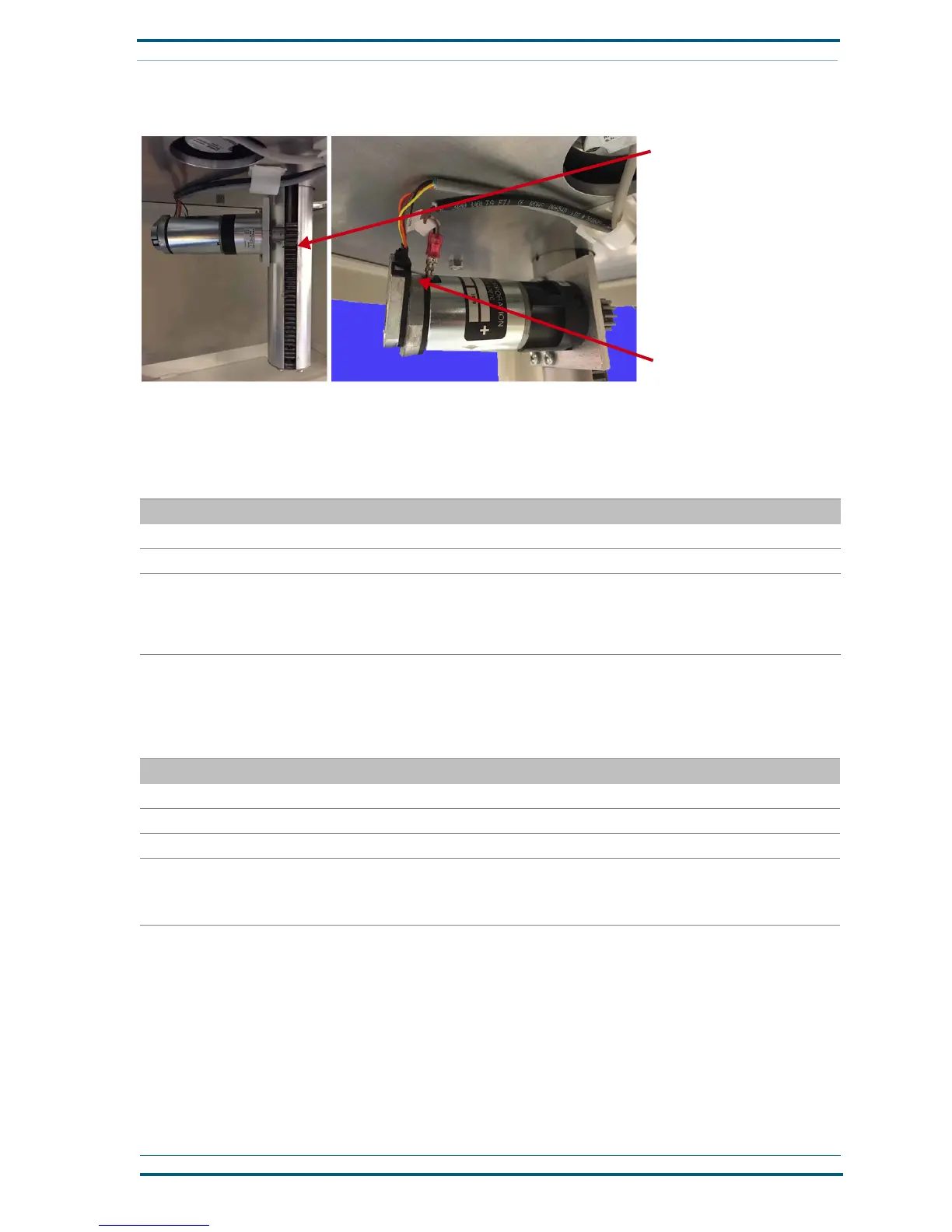
Check the harness connections
To force the push-rod up or
down, move the rack with the
end of a long screwdriver
FIGURE 4. Troubleshoot Nexus Station push-rod errors


 To Next Page