NEXUS STATION | TECHNICAL OPERATIONS AND MAINTENANCE GUIDE APR/2017
91 INSTRUCTIONS FOR TROUBLESHOOTING COMMON COMPONENT ERRORS | CARRIER AND SENSOR ERRORS
Carrier not detected in load position at delivery
This error does not stop the station from operating. If it occurs regularly, the sensor may require replacement or adjust-
ment.
TABLE 10. Troubleshoot Nexus Station error “Carrier not detected in load position at delivery.”
Action | component Details | expected condition | next steps
1 Inspect harness PCB connection. J33
2 Verify that the sensor is operational.
Turn on power to the station, and disconnect the
Ethernet cable to remove the station from the
PTS network. If the turnstile contains any carri-
ers, remove them.
Open the Diagnostics menu, and go to page 2.
Verify that with no carriers loaded in the turn-
stile, the status of the Load/Unload Sensor is
“clear.”
With no carriers loaded in the turnstile, the status of the
Load/Unload Sensor is “clear.”
If the status value is not “clear” when no carrier is in the
front position, go to the next step.
3 Adjust the sensitivity on the sensor using the
DIP switch settings.
Excessive sensitivity falsely triggers the system
into sensing a carrier in the front carrier posi-
tion. If a the sensor indicates that a carrier is in
the front position when no carrier is present,
decrease the sensitivity of the sensor. If the sen-
sor indicates that no carrier is in the position
when a carrier is present, then increase the sen-
sitivity of the sensor.
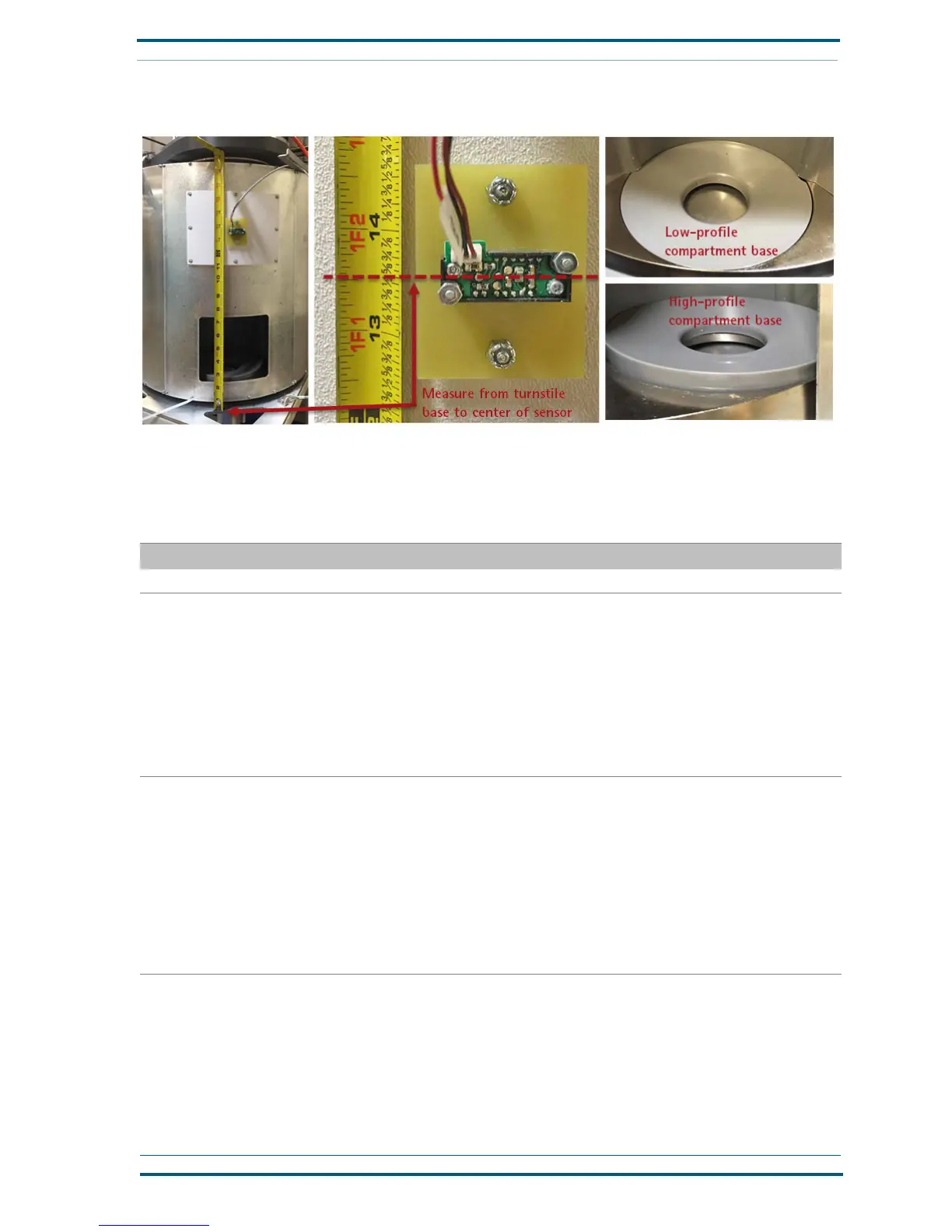
With a non-conductive pointed tool, adjust the DIP-switch
settings to increase or decrease the sensor’s capacity to
detect the RFID chips on carriers as they are loaded and
unloaded. See the recommended settings in the next illus-
tration.
After adjusting the DIP-switch settings, restart the sta-
tion, and verify that the sensor has reset.
If the sensor does not reset after following the configu-
ration procedure in the Calibration document, replace
the sensor.
FIGURE 8. Troubleshoot Nexus Station send-receive sensor issues


 To Next Page