User menu Page 12/33
Programming instructions SYCLOPE ODISEA
®
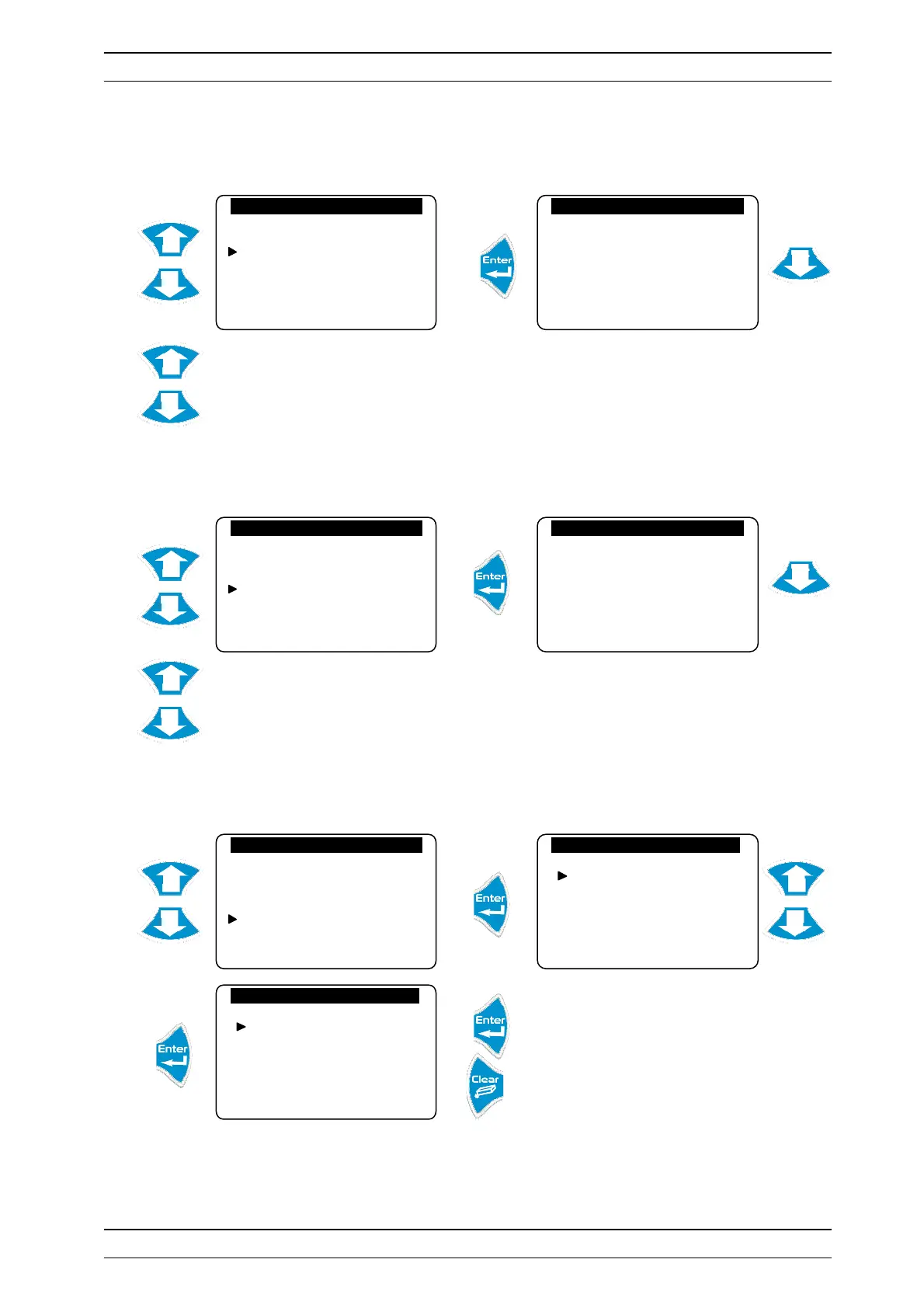
c) Data
Traces measurements according to the defined time interval.
Press “Up” and “Down” to scroll through the records.
d) Printer output
Allows you to print, in chronological order data collected.
Press “Up” and “Down” to scroll through the records.
e) Reset Histories
Allows you to delete the selected families of entries.
The events data are deleted.
Nothing is done.
► Do the same to delete the other types of records.
Events
Alarms
Data
Printer outputs
Reset histories
Data histories
Date : 23/02/09
°C pH mV Cl
15H27 30.9 7.34… 354 …2.58
15H37 30.4 7.26… 365 …2.50
15H47 30.9 7.18… 364 …2.45
15H57 30.9 7.00… 370 …2.65
Events
Alarms
Data
Printer outputs
Reset histories
Printer output
Printing in progress…
Events
Alarms
Data
Printer outputs
Reset histories
Printer output
Reset events
Reset data
Reset alarms
Printer output
Reset events
Reset data
Reset alarms
Yes : Enter No : Esc


 To Next Page