User menu Page 11/33
Programming instructions SYCLOPE ODISEA
®
5) Histories
Traces and records the various events, alarms, measurements that take place with a frequency defined
by the user.
a) Events
Traces events that have occurred, such as activating the treatment, deactivating the treatment,
calibrating a parameter, etc …
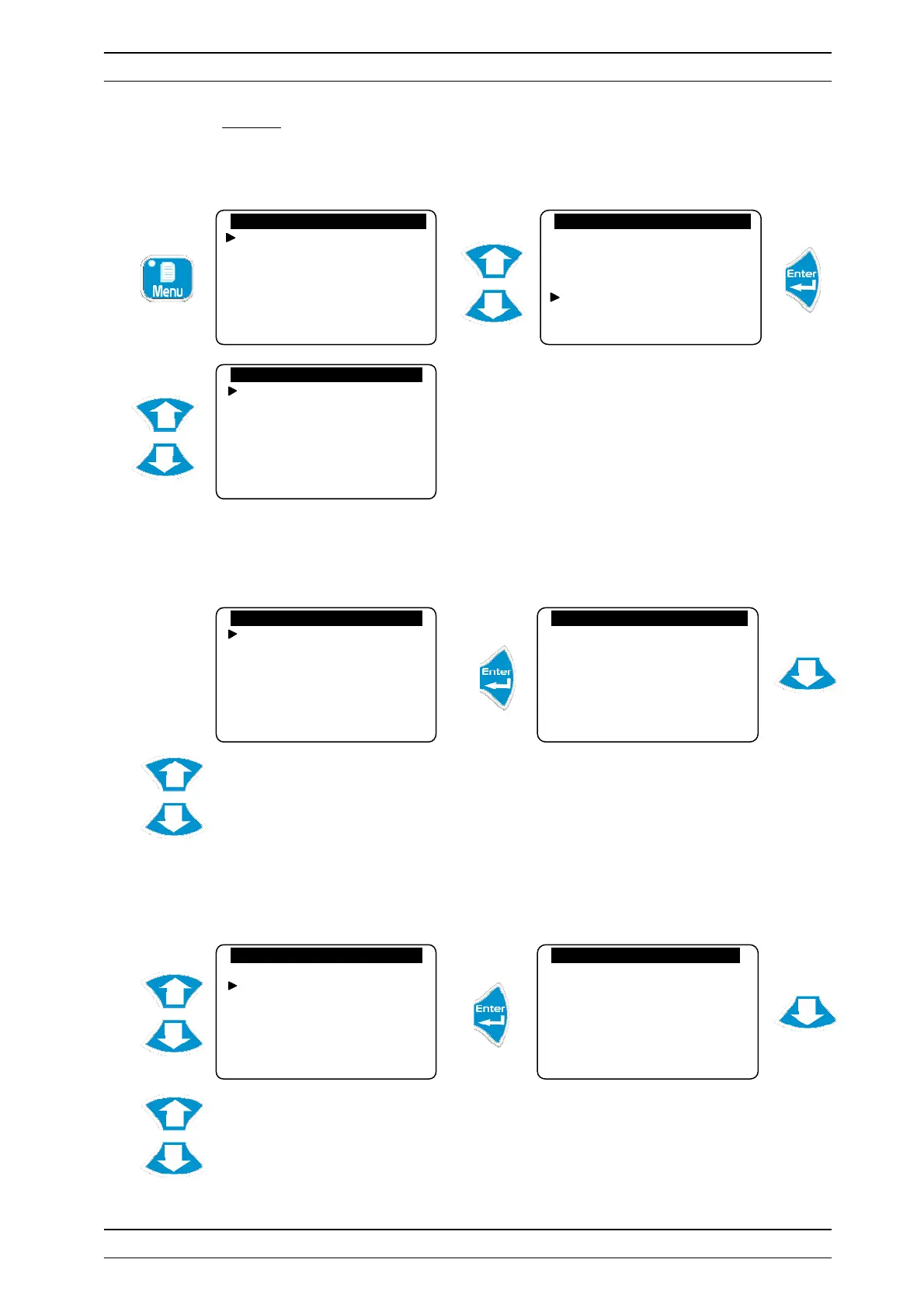
Press “Up” and “Down” to scroll through the records.
See the table at the final page for the meaning of the event n°: XX
b) Alarms
Traces alarm excesses.
Press “Up” and “Down” to scroll through the records.
See the table at the final page for the meaning of the alarm n°: XX
Technician level
Langue/Language/…
Set the time
Displays
Histories
Technician level
Langue/Language/…
Set the time
Displays
Histories
Events
Alarms
Data
Printer outputs
Reset histories
Events
Alarms
Data
Printer outputs
Reset histories
Event Histories
23/02/09 9:42 am no.: 10
Switched on
23/02/09 10:35 am no.: 05
pH calibration
23/02/09 6:40 pm no.: 01
Switched off
Events
Alarms
Data
Printer outputs
Reset histories
Alarm Histories
23/02/09 10:40 am no.: 08
Chlorine threshold alarm
23/02/09 12:30 pm no.: 07
pH threshold alarm
23/02/09 4:20 pm no.: 05
Chlorine threshold alarms


 To Next Page