Description of the human-machine interface Page 6/33
Programming instructions SYCLOPE ODISEA
®
I. Description of the human-machine interface
1) Display and control keypad
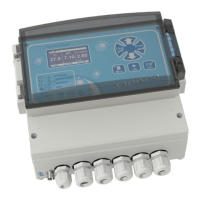
Backlit 64x128 display with white text on blue background
Injection and alarm LEDs
Menu button: provides access to the programming menu (yellow LED)
Calibration button: enables the sensors to be directly calibrated
STOP/START button: switches the regulators on or off (green LED)
Clear button: deletes the settings or moves back in the programming menus
Enter button: confirms the settings or moves forward in the programming menus
Up button: can be used to scroll through the menus and increase values
Down button: can be used to scroll through the menus and reduce values


 To Next Page