Technician Menu Page 18/33
Programming instructions SYCLOPE ODISEA
®
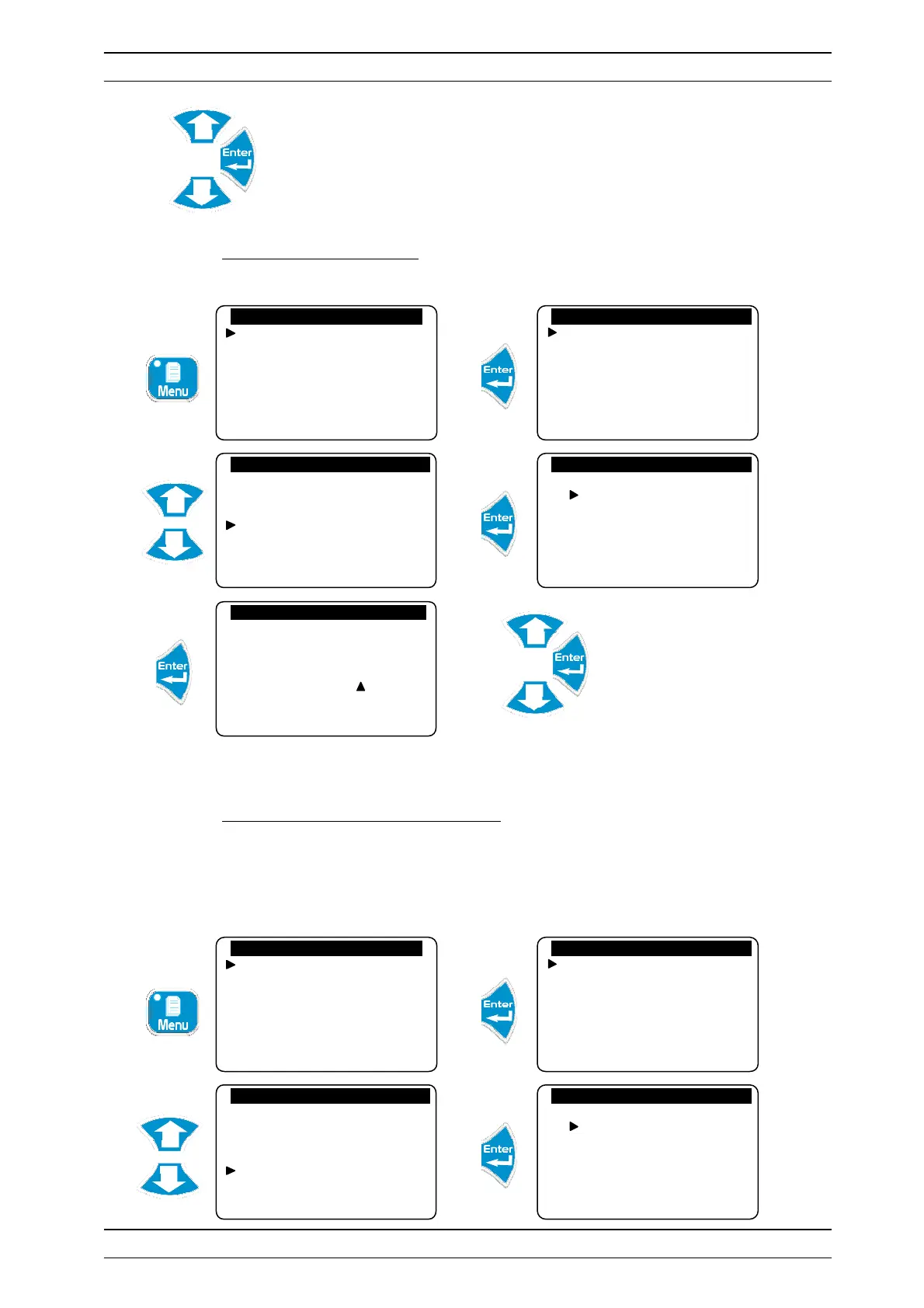
Adjust the system date. For example, the programmed date is Wednesday 10
February 2009
4) Programming a setting point
Allows you to program the setting point for controlling the various parameters.
Adjust the setting point
► Repeat this process to adjust all the other setting points.
5) Calibration of a measurement parameter
In this menu, you can perform three operations involving the measurements of a sensor.
Standard (Gain): to calibrate the sensor with the standard value measured
Zero: to set a sensor to zero when required
Delete: to delete the calibration and zero registered and return to the factory value
Technician level
Langue/Language/…
Set the time
Displays
Histories
Specialist level
Technician code
System date
Setting(s)
Calibrations
General timers
Analogue outputs
Specialist level
Technician code
System date
Setting(s)
Calibrations
General timers
Analogue outputs
General settings
Temperature
pH
Rédox
Chlorine
Temp. regulation
Setting (°C) : 28.0
Technician level
Langue/Language/…
Set the time
Displays
Histories
Specialist level
Technician code
System date
Setting(s)
Calibrations
General timers
Analogue outputs
Specialist level
Technician code
System date
Setting(s)
Calibrations
General timers
Analogue outputs
General settings
Temperature
pH
Rédox
Chlorine


 To Next Page