Technician Menu Page 17/33
Programming instructions SYCLOPE ODISEA
®
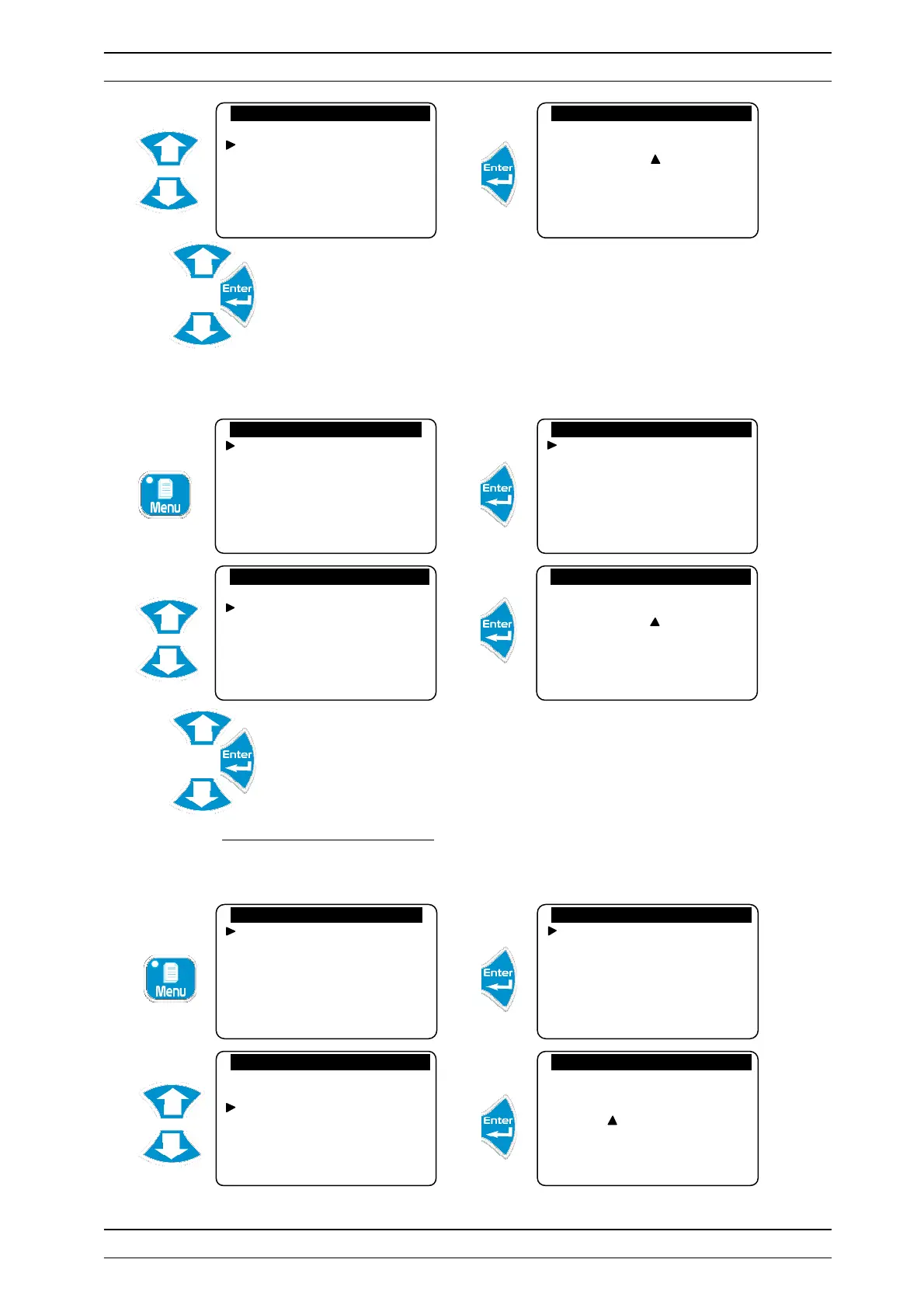
Enter your code to control access to this level
b) Cancellation of the code
Cancels the function to lock this level by a code
Enter the code 0000 to cancel access control for this level.
3) Adjustment of the system date
Allows user to adjust set or adjust date. The system date must be configured correctly in order to
manage the operating timers.
Specialist level
Technician code
System date
Setting(s)
Calibrations
General timers
Analogue outputs
New code : 0 . . .
Technician level
Langue/Language/…
Set the time
Displays
Histories
Specialist level
Technician code
System date
Setting(s)
Calibrations
General timers
Analogue outputs
Specialist level
Technician code
System date
Setting(s)
Calibrations
General timers
Analogue outputs
New code : 0 . . .
Technician level
Langue/Language/…
Set the time
Displays
Histories
Specialist level
Technician code
System date
Setting(s)
Calibrations
General timers
Analogue outputs
Specialist level
Technician code
System date
Setting(s)
Calibrations
General timers
Analogue outputs
System date
Year : 09 Month: 02
Date: 10 Day: 3


 To Next Page