EasyManua.ls Logo

SYCLOPE ODISEA - User Menu Operations

SYCLOPE ODISEA
33 pages
Print Icon
To Next Page IconTo Next Page
To Previous Page IconTo Previous Page
Loading...
User menu Page 9/33
Programming instructions SYCLOPE ODISEA
®
III. User Menu
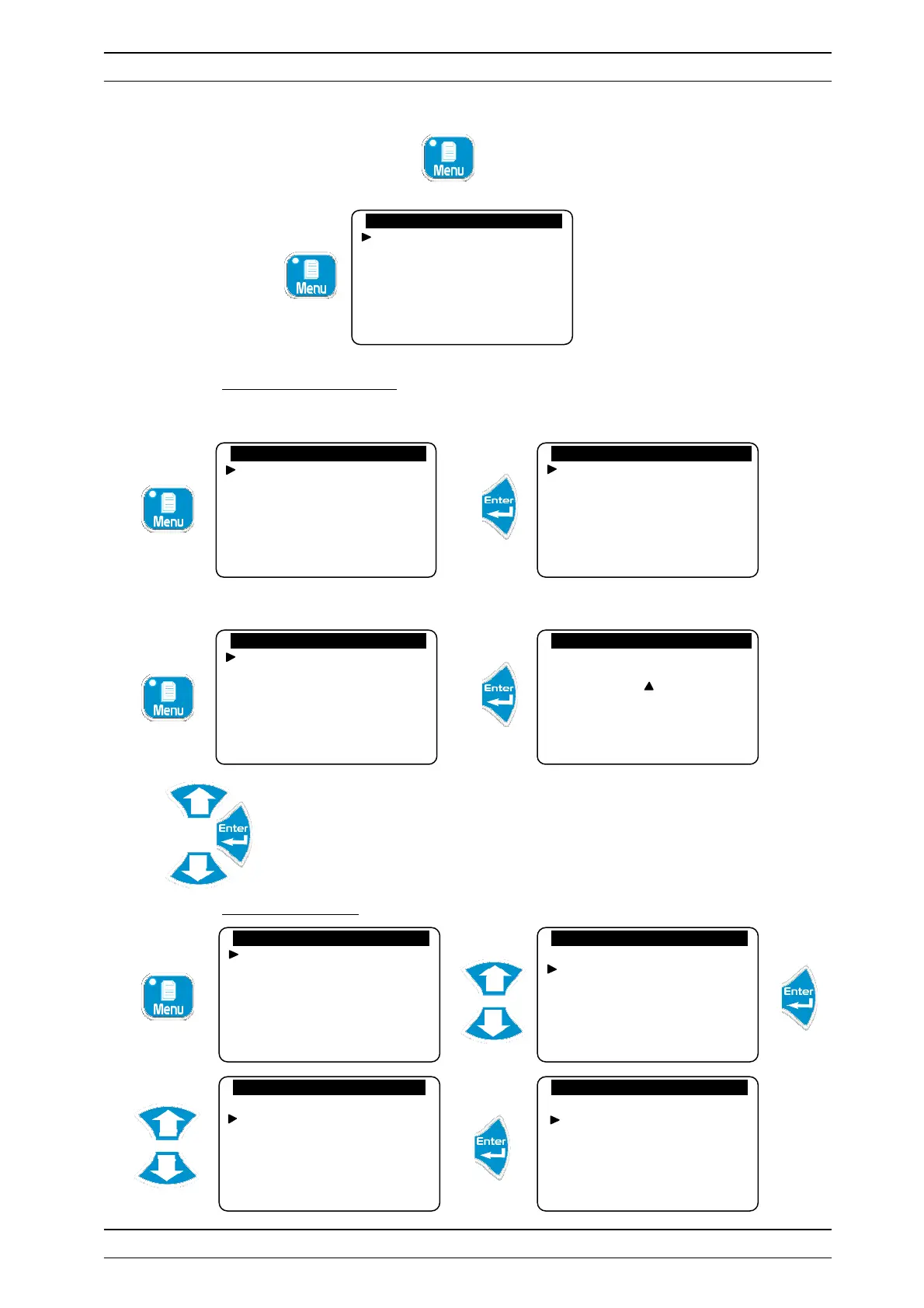
To access the User Menu, press the button. You now have access to user-level adjustments.
1) Access to technician level
To access the technician menu.
If a code is registered:
Enter the access code to enter the technician menu
2) Choice of language
…….…......
User Menu
..…
......…
Technician level
Langue/Language/…
Set the time
Displays
Histories
…….…......
..…......…
Specialist level
Technician code
System date
Setting(s)
Calibrations
General timers
Analogue outputs
…….…......
User Menu
..…
......…
Technician level
Langue/Language/…
Set the time
Displays
Histories
…….…....
..
..…......…
Access code : 0 . . .
…….…......
User Menu
..…
......…
Technician level
Langue/Language/…
Set the time
Displays
Histories
…….…......
User Menu
..…
......…
Technician level
Langue/Language/…
Set the time
Displays
Histories
…….…......
User Menu
.. …......
Langue/Language/…
Francais
English
Deutsch
Espanol
Italiano
Portuguese
…….…......
User Menu
..…
......…
Technician level
Langue/Language/…
Set the time
Displays
Histories
…….…......
User Menu
..…
......…
Technician level
Langue/Language/…
Set the time
Displays
Histories