Specialist menu Page 29/33
Programming instructions SYCLOPE ODISEA
®
► Select "None" to not use the selected relay
► Select “Filter timers” to control the filter motor
► Select “Reverse pH adjustment” to control the injection of pH+ (if you chose pH- in the
relay configuration)
► Select “General alarms” to activate an alarm relay
► Select “pH alarms” to activate an alarm relay
► Select “Chlorine alarms” to activate an alarm relay
► Select “Flocculant” to control the injection of flocculant.
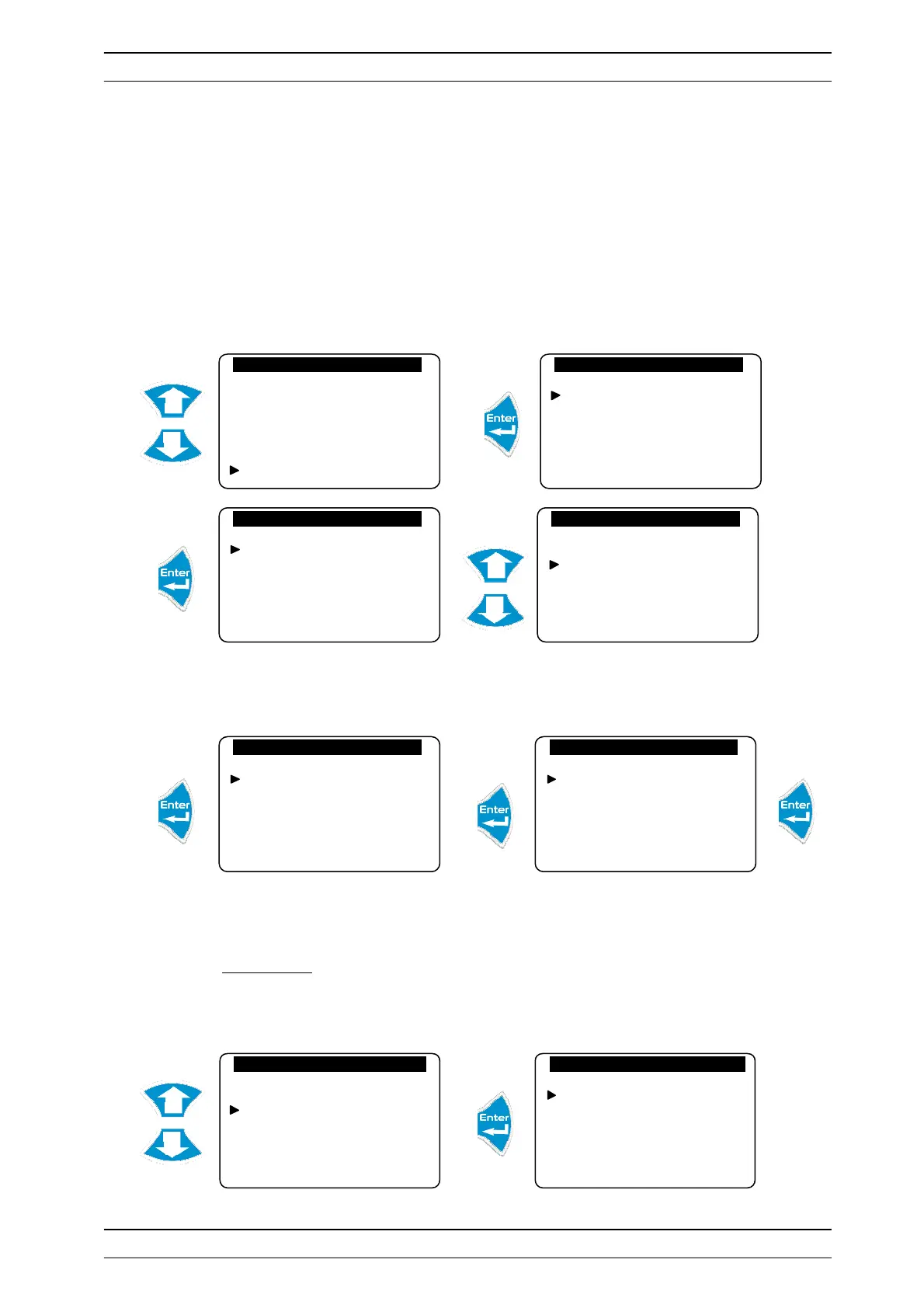
g) Definition of the analogue output mode
Allows you to configure the analogue outputs as an adjustment output or a data transfer.
► Select "None" to not use the selected analogue output
► Select “Adjustment” to control an injection pump
► Select “Data transfer” to forward the current to a central unit
► Follow this same process to program the other analogue outputs
3) Initializations
Allows you to reset the machine, activate the modem, define the case number for communication and
activate machine maintenance.
Configurations
Flocculant
Meter input
Flow switch
Adjustment operation
Prog. relays
Analogue outputs
Analogue outputs
Output IA1
Output IA2
Analogue outputs
None
Regulation
Transfer
Analogue outputs. IA1
None
Regulation
Transfer
Analogue output IA1
Temperature
pH- regulation
pH+ regulation
Redox
Chlorine
Analogue output IA1
0…20 mA
4…20 mA
20…0 mA
20…4 mA
Factory Code
Configurations
Initializations
Version: 3.01
Initializations
Factory reset
Modem
Maintenance management
Device number


 To Next Page