V/D
S
ERIES
E
LECTRICAL ASSEMBLIES
Revision: 2.1 4-25
4.4 Replacing or upgrading the printer
Removing the printer
• Remove the service doors or door cladding.
• Disconnect the cable to the E-Box.
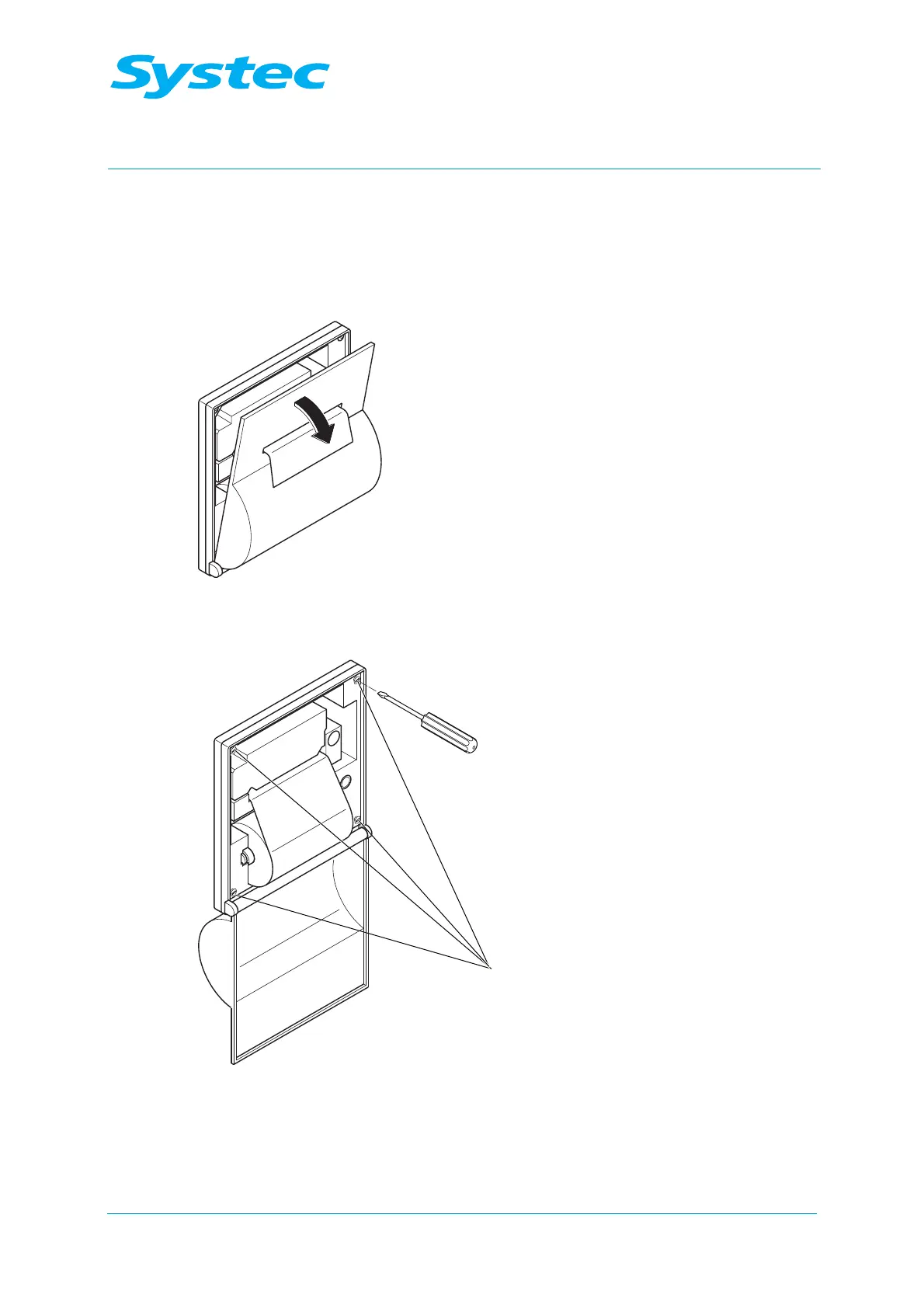
Fig. 25: Opening the cover
• Open the cover of the printer.
Fig. 26: Loosening the screws
• Loosen the 4 screws (1), but do not remove them.
• Push the printer downwards and remove it.


 To Next Page
 Loading...