33
Swype
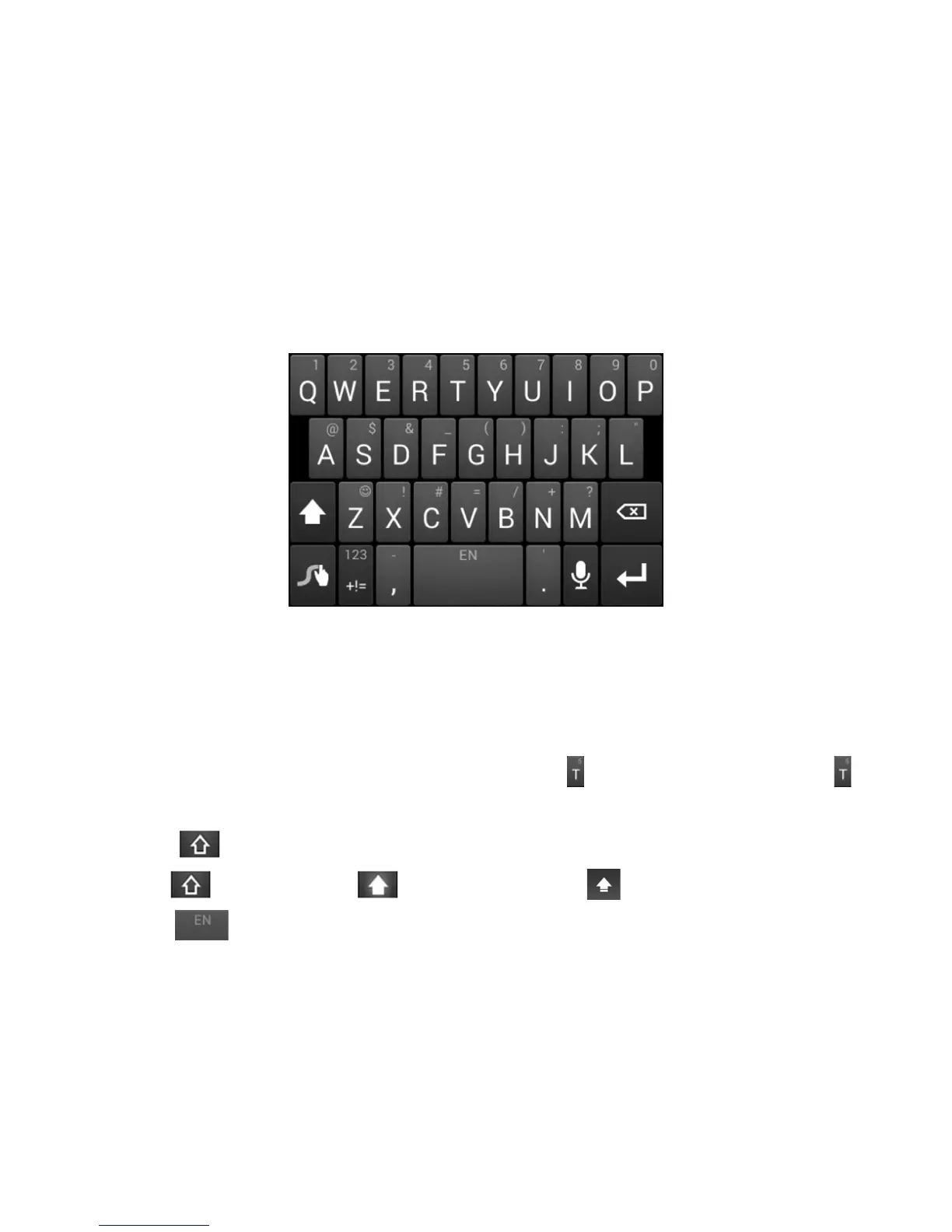
The Swype™ keyboard lets you enter words by drawing a path from letter to letter
in one continuous motion. When you lift your nger after the last letter of a word, a
space is automatically added.
• Touch the alphabetic keys to enter letters. Touch and hold a key to enter the
number or symbol located on the top of the key. Keep holding the key to bring up
a series of characters available on that key, including associated accented letters,
symbols or numbers.
• For example, in English mode, touch and hold
to enter 5. Keep holding to
open a character and number list. You can select to enter T, or 5.
• Touch
to use uppercase or lowercase. This key also indicates the current
case: for lowercase, for uppercase, and when locked in uppercase.
• Touch
to enter a space. Touch and hold this key to open a pop-up menu for
language selection.


 To Next Page
 Loading...