4
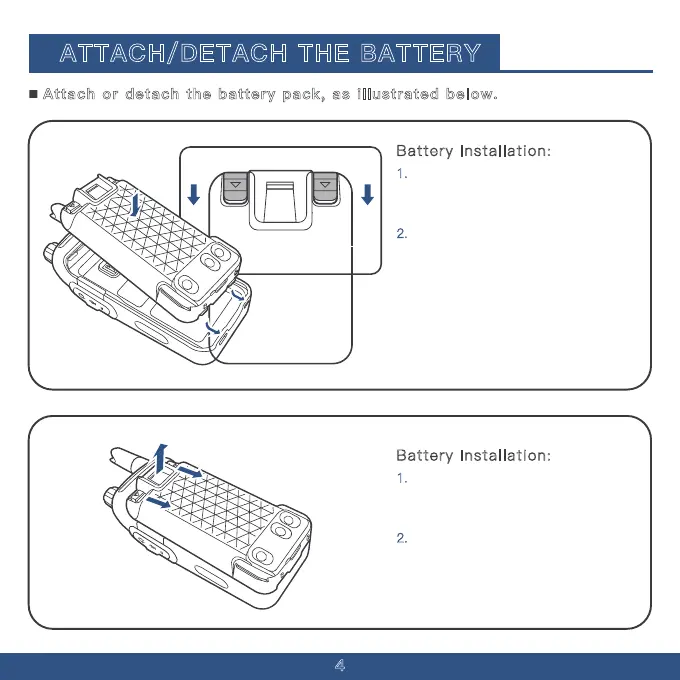
Battery Installation:
1. Align the battery with the two
small notches at the bottom of the
walkie-talkie casing.
ATTACH/DETACH THE BATTERY
2. Press the battery towards the metal
plate. Simultaneously press down on
the small sliders located on the left
and right sides at the top (marked
with arrow symbols) until you hear a
"click," indicating that the battery is
securely installed. See illustration for
guidance.
Battery Installation:
1. Locate the two small sliders on the
top left and right sides of the battery,
each marked with an arrow symbol.
2.
Press both sliders downward
simultaneously to release and remove
the battery. Refer to the illustration for
details.
Attach or detach the battery pack, as illustrated below.



 To Next Page