7
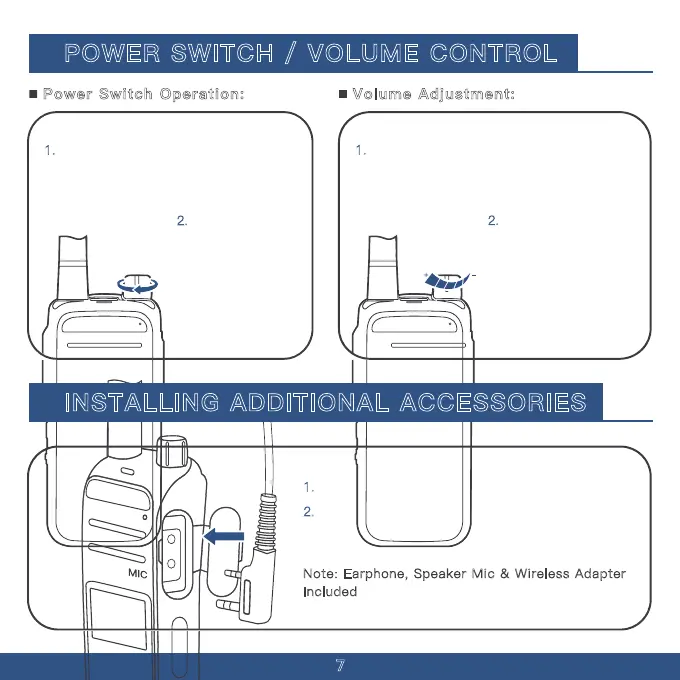
Note: Earphone, Speaker Mic & Wireless Adapter
Included
POWER SWITCH / VOLUME CONTROL
1. To turn on the walkie-talkie, rotate the
power switch knob clockwise.
2.
To turn off the
walkie-talkie, rotate
the power switch
knob
counterclockwise.
1.
The volume control knob is the same as the
switch knob. Rotate it clockwise to increase the
volume and counterclockwise to decrease it.
2.
If background noise is
not audible due to the
squelch function, press
and hold Side Key 3
while turning the volume
control knob to hear the
background noise.
INSTALLING ADDITIONAL ACCESSORIES
1. Lift the earphone cover
2.
Directly insert the standard K-Head connector into
the dual-hole interface.
Power Switch Operation: Volume Adjustment:



 To Next Page