32
When the device
s working frequency range is between 108-136 MHz, it automatically enters AM
aviation reception mode, with the channel status displaying
AM This mode is primarily used for
Airband Receiving
receiving AM modulated aviation signals.
Introduction to Airband Mode
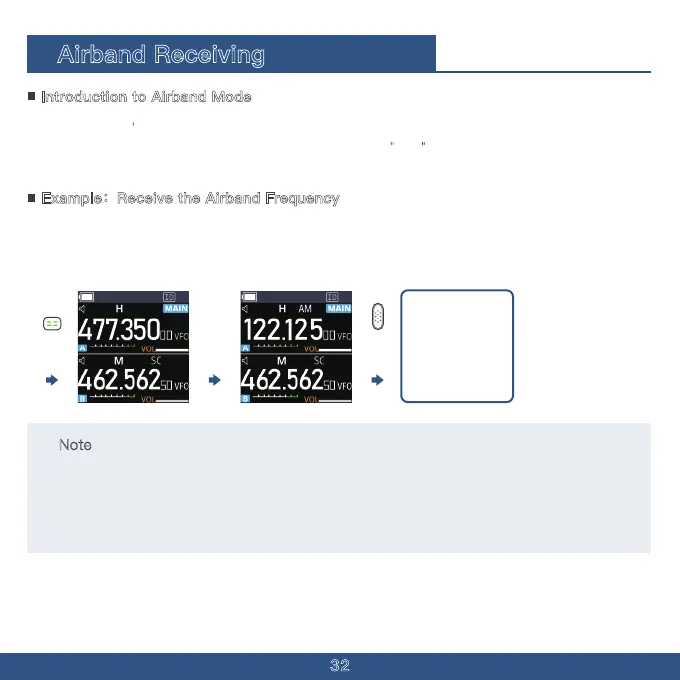
1. Hold the Menu Button to switch to the frequency mode.
2. Press [1], [2], [2], [1], [2], [5]. When the Icon AM is shown, Airband Mode is successfully opened.
3. Hold the PTT Button until the beep sound shows up.
Example:Receive the Airband Frequency
122125
When Beep sound
sounds the device will
go into reception.
The device will stop
receiving when the
PTT key is released.
Note
Signal Strength: The strength of the aviation band signal may be affected by factors such as distance,
weather, and terrain. If the signal is weak, try adjusting the antenna direction or position.
Frequency Range: Ensure your device supports the aviation band's frequency range.
Legal Regulations: In some regions, using aviation band receiving devices may require specific licenses
or compliance with relevant laws and regulations. Be sure to understand the local rules before use.



 To Next Page