9
Long Press
145800
1. The principle of setting the squelch level is based on the environment and requirements of use.
2.
When a greater communication distance is required, which weakens the received signals, a higher
sensitivity is needed, and thus a lower squelch level should be set; for example, set to Level 1.
3.
For shorter communication distances with stronger received signals, sensitivity can be decreased by
setting a higher squelch level, which reduces noise; for example, set to Level 9.
4.
If intermittent transmission occurs, indicating weak signal reception, or if the communication distance
changes during a conversation making it hard to hear, then lower the squelch level to increase sensitivity;
for example, adjust from Level 8 to Level 2.
Note:
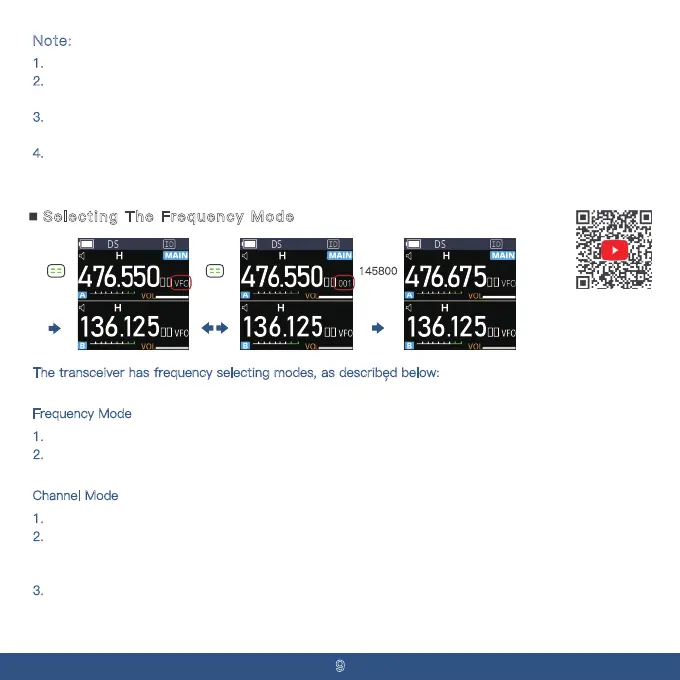
Selecting The Frequency Mode
The transceiver has frequency selecting modes, as described below:
In standby mode, long-press the [Menu] key to toggle between Frequency Mode and Channel Mode.
F
requency Mode
1. In standby mode, long-press the [Menu] key to switch to CH mode.
2.
Use the [Up/Down] keys to change the frequency or directly input the desired full frequency using
the numeric keys.
Channel Mode
1. In standby mode, long-press the [Menu] key to switch to CH mode.
2.
In this mode, use the [Up/Down] keys to change the channel number or directly input the desired
channel using the numeric keys. At least one memory channel must be programmed; otherwise, you
cannot enter this mode.
3.
In Channel Mode, long-press the [Back] key to toggle between Channel Name Mode, Channel
Frequency Mode, and Channel Number Mode.



 To Next Page