26
145800
Short
press
Entering Memory channels
The transceiver has a total of 80 Memory channels to save often-used frequencies.
In the Memory mode, you can quickly select the saved memories. This section describes
the basic channel content entry.
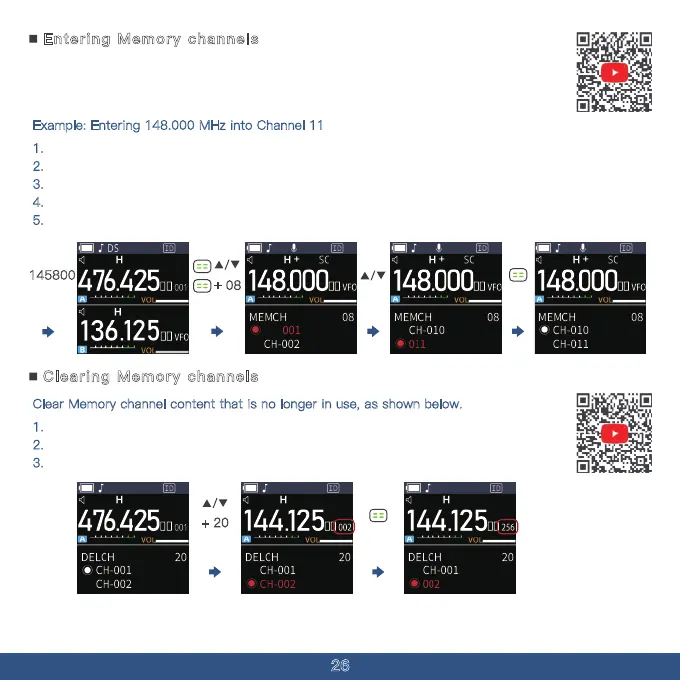
Example: Entering 148.000 MHz into Channel 11
1. Press and hold the menu button to switch to VFO mode.
2.
Enter 148.000 on the keypad, and it will be displayed on the screen.
3.
Briefly press the menu button and press the "UP" key to navigate to menu option 08.
4.
Press the "UP" key to find CH-11.
5.
Press the menu button to save.
Clearing Memory channels
Clear Memory channel content that is no longer in use, as shown below.
1. Press the Menu button briefly and press the Up button to go to menu option 20.
2.
Press the Up button to find the channel you want to delete.
3.
Press the Menu Key to save.
+
08
+
20



 To Next Page