1
2
Short
press
Selecting a Tuning Step
In VFO (Variable Frequency Oscillator) mode, selecting the appropriate tuning step is
crucialfor precise frequency adjustments and effective scanning. The A36SE provides a
variety of tuning steps to suit diverse communication needs, ensuring both flexibility and
precision.
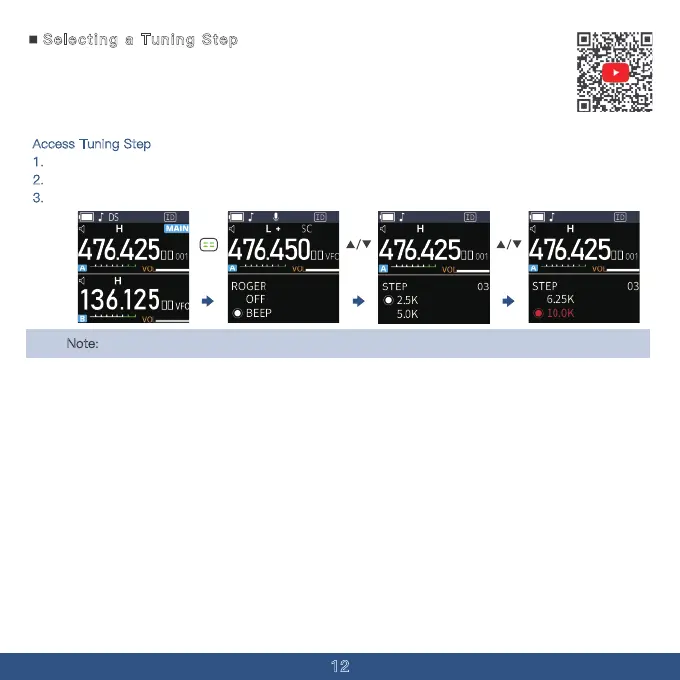
Access Tuning Step
1. In VFO Mode, press the MENU button to access the MENU Page.
2.
Use the Up/Down Key to navigate to Menu Option 03.
3.
Use the MENU Key and UP/DOWN Key to select the tuning step you need.
Note
: The selected tuning step will be applied to the VFO scan function.



 To Next Page