14
477100
Long Press
477000
Setting a Frequency
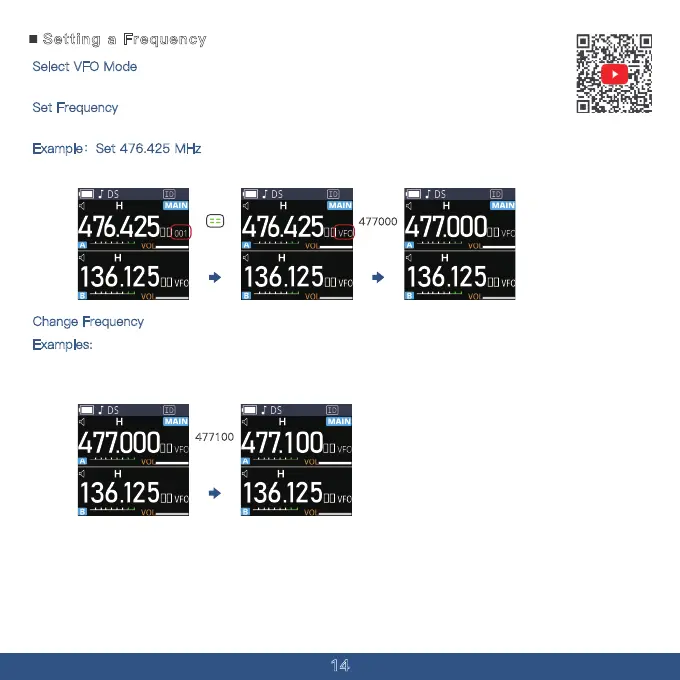
Select VFO Mode
Repeatedly press the MENU Button to select the VFO mode.
Set Frequency
Use the ten-key pad to directly input the desired frequency.
Example:Set 476.425 MHz
To set 477.000 MHz, press [4], [7], [7], [0], [0], [0].
Change Frequency
Examples:
To change from 477.00 MHz to 477.100 MHz (for frequencies under 10 MHz),press
[4], [7], [7], [1],[0], [0].



 To Next Page