18
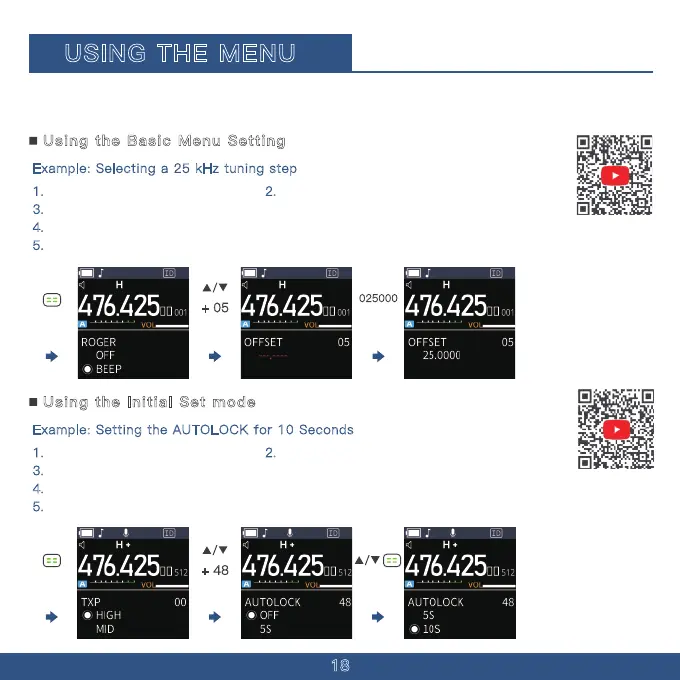
025000
Example: Selecting a 25 kHz tuning step
1. Press the Menu button. 2. The Menu interface is now displayed.
3.
Press the "Up" button multiple times until you reach Menu Option 05.
4.
Manually enter the Offs et number on the keypad, inputting 025000 here.
5.
Press the Menu button to save.
Using the Basic Menu Setting
USING THE MENU
You can use the Menu to set infrequently changed values or function settings. The transceiver has two
types of Menu modes, as shown below.
Example: Setting the AUTOLOCK for 10 Seconds
1. Press the Menu button. 2. The Menu interface is now displayed.
3.
Press the "UP" button multiple times until you reach menu option 48.
4.
Continue pressing the "UP" button multiple times until you reach the 15-second option.
5.
Press the menu button again to save.
Using the Initial Set mode
+ 05
+ 48


 To Next Page