28
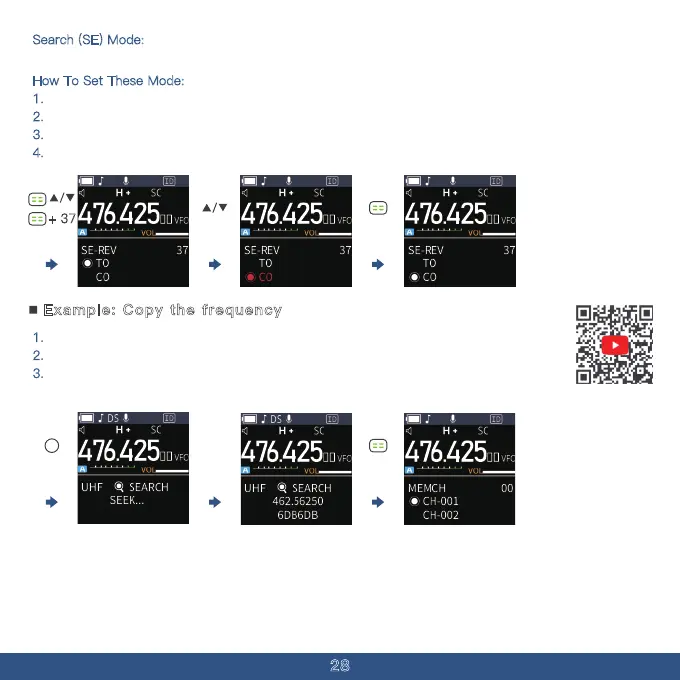
1. Repeatedly push MENU to select the VFO mode.
2.
Hold down the side key 2 until the screen shows the "seek & search".
3.
After the screen displays the frequency and sub-audio, you can press the [menu key]
again to store.
Example: Copy the frequency
Search (SE) Mode:
The radio exits scanning and stays on the frequency when it detects a signal.
How To Set These Mode:
1. Press The Menu Button
2.
Press The "Up" Button multiple times to Menu Option 37.
3.
Use the "Up & Down" to choose your scan function.
4.
Press the "MENU" to save your choice.
+ 37



 To Next Page