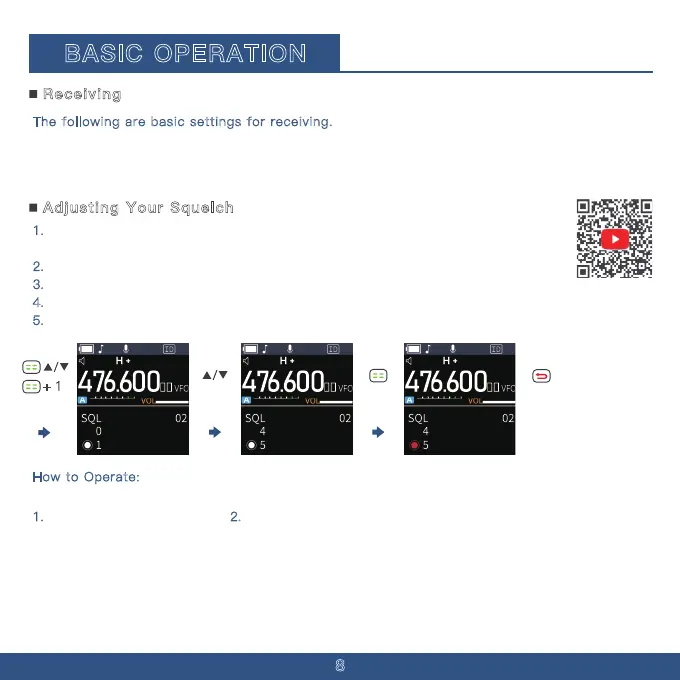
+ 1
8
The following are basic settings for receiving.
· Adjusting the squelch level (p. 9)
· Selecting the operating band (p. 11)
· Setting a frequency (p. 12)
To adjust the squelch settings:
1. Press the menu button. 2. Use the up arrow to navigate to Menu 01.
1. The noise squelch function allows audio to be heard only when receiving signals that
are above a set threshold.
2.
Higher levels block weaker signals, enabling reception of only stronger signals.
3.
Lower levels allow the reception of weaker signals.
4.
This product s squelch settings range across 10 levels: 00, 01, 02, 03, 04, 05, 06, 07, 08, 09.
5.
In this document, "Noise Squelch" is simply referred to as "Squelch".
· Selecting the Frequency selecting mode (p. 10)
· Selecting the operating mode (p. 11)
Receiving
Adjusting Your Squelch
How to Operate:
BASIC OPERATION


 To Next Page