ADDING IP PHONES TO TALKSWITCH 10
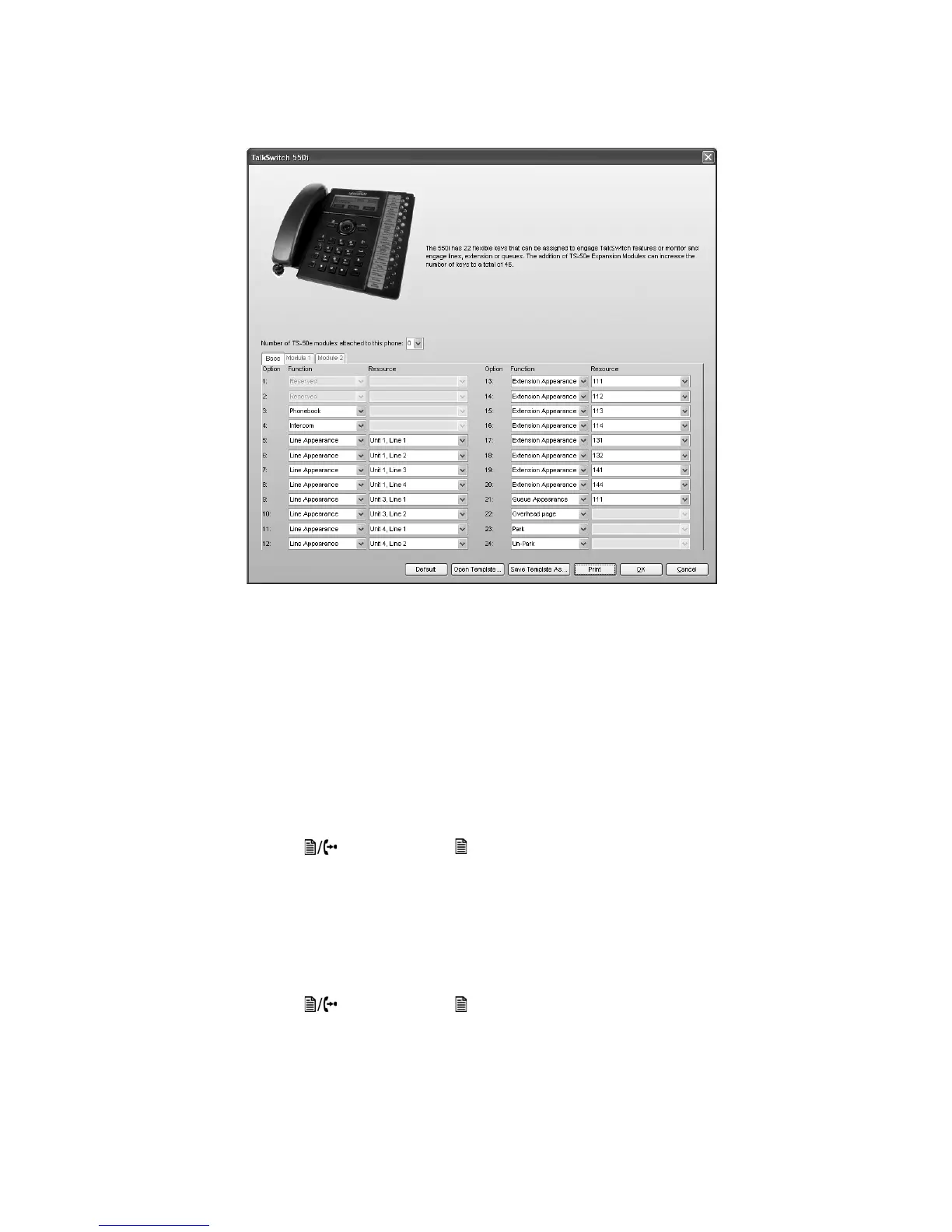
3. Optionally, you can apply predefined key assignments from a template file using the Open
Template button. See Using a key assignment template on page 8.
If necessary, use the Default button to restore the keys to their default settings.
4. Use the Print button to print a label showing the key configuration. Cut out the printed
label and insert it in the phone next to the key lights.
5. Your key assignments can be saved as a template for programming additional phones. See
Saving a key assignment template on page 8.
Programming the TalkSwitch TS-350i, TS-450i or TS-550i IP phone as an external IP extension
If you are setting up an external IP extension, you must ensure there is a communication path
over the network between your phone and your TalkSwitch systsem. See Configuring the router
on page 2.
Program the following settings into the phone. On the phone:
1. Press the button (TS-350i) / button (TS-450i, TS-550i).
2. Press 3 to enter the Phone Settings menu.
3. Press 7 to enter the Firmware Update menu.
4. Press 2 to enter the TFTP Server Address menu.
5. Use the keypad to enter the public IP address or FQDN of the TalkSwitch system, and then
press the OK softkey.
6. Press the button (TS-350i) / button (TS-450i, TS-550i) to exit the menu.



 To Next Page