ADDING IP PHONES TO TALKSWITCH 36
5. Map port 9393 (Type: TCP) to the TalkSwitch unit acting as local proxy. Port 9393 allows
remote configuration of the TalkSwitch system.
6. If available, enable Quality of Service (QoS) to give voice traffic priority over data.
7. Save the configuration to the router.
Connecting the Grandstream phone to the network
1. Connect a network cable between your router and the port marked LAN on the back of the
phone. The PC port on the phone can be used to connect the PC if only one LAN port
is available.
2. Connect the power adapter to the phone.
3. Once the phone boots up, it will attempt to obtain an IP address from a router DHCP server.
Confirming the Grandstream firmware version
The TalkSwitch system requires the IP phone to have a certain firmware version.
1. Check the required firmware version at http://global.talkswitch.com.
2. Confirm the firmware version currently installed the IP phone. On the phone:
a) Press the round key (surrounded by four arrow keys) to access the menu.
b) Select Status and press the round key again.
c) Scroll down until you see Prog.
d) Compare Prog to the required firmware version. If the firmware version is the same,
proceed to Programming a Grandstream IP phone. If not, follow the instructions in
Updating the Grandstream firmware on page 37.
Programming a Grandstream IP phone
1. Note the IP address that appears on the screen of the Grandstream phone.
2. In a web browser, enter the IP address in the Address field.
3. Enter the password. By default this is admin. When the TalkSwitch unit configures the
phone, it changes the password to 23646 (which spells “admin” on the telephone keypad).
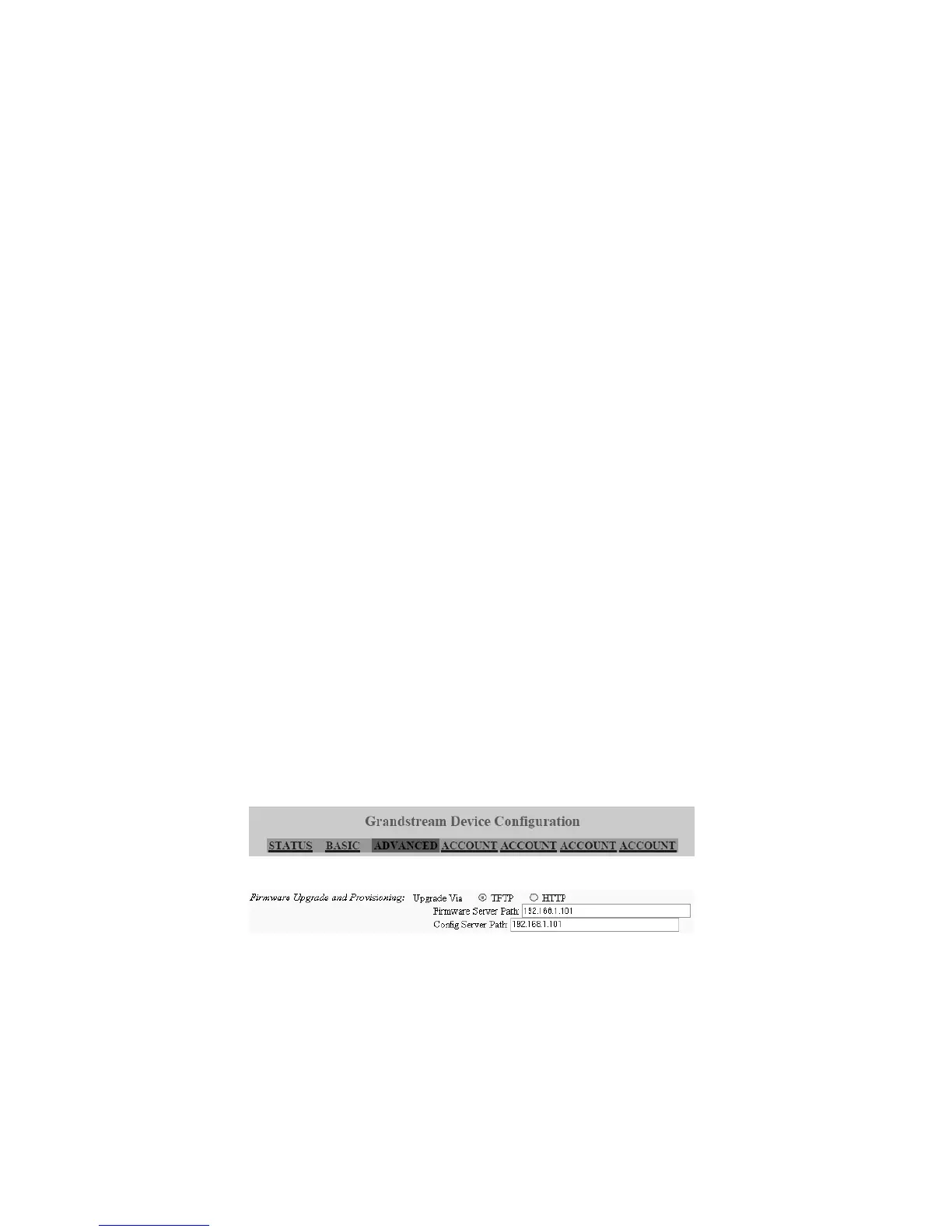
The Grandstream Device Configuration page appears.
4. On the Grandstream Device Configuration page, click Advanced.
5. In the section for Firmware Upgrade and Provisioning, set Upgrade Via to TFTP.
6. If you are setting up an internal IP extension, set Config Server Path to the IP address of the
TalkSwitch unit acting as local proxy. If you are setting up an external IP extension, set
Config Server Path to the public IP address or FQDN of the TalkSwitch system.



 To Next Page