ADDING IP PHONES TO TALKSWITCH 39
ADDING COUNTERPATH IP PHONES
Adding a Counterpath phone to the TalkSwitch system configuration
1. Launch the TalkSwitch management software.
2. Select the Local Extension/Fax page.
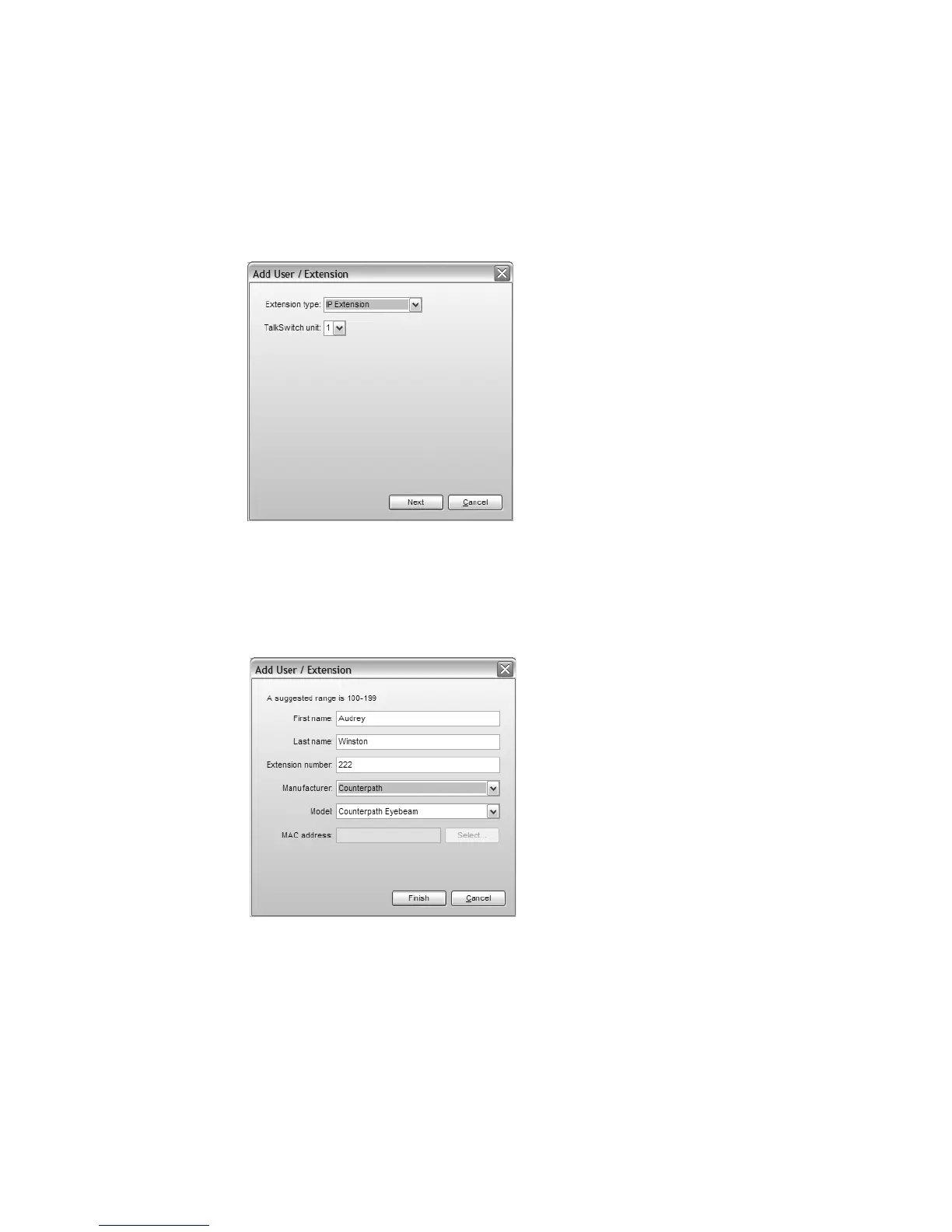
3. Click the Add button. The Add User / Extension window appears.
4. Set the Extension type to IP Extension.
5. In a multi-unit system, select the TalkSwitch unit the extension will be associated with. This
unit will hold the voicemail for the extension. Click Next.
6. Enter the user’s First Name and Last Name. The names are used for caller ID and the dial-by-
name directory.
7. Assign an Extension number.
8. Select Counterpath as the Phone type.
Click Finish.
9. In the Extension tab, select the language for prompts heard by the user of the extension in
the System Prompt Language list. Setting the prompt language will also change the language
for text displayed on the phone itself.



 To Next Page