ADDING IP PHONES TO TALKSWITCH 16
About programmable function keys
The TS-9133i and TS-9143i have 7 programmable functions keys, and the TS-480i has 14
programmable ssoftkeys. The keys allow the user to access TalkSwitch features, and to monitor
and engage lines, extensions and queued calls (i.e. line appearance).
Note that the keys cannot be programmed if the extension has hot line access enabled. In this
case, pressing the top function key of the TS-9133i or TS-9143i, or the HotLine softkey of the
TS-480i connects to the resource.
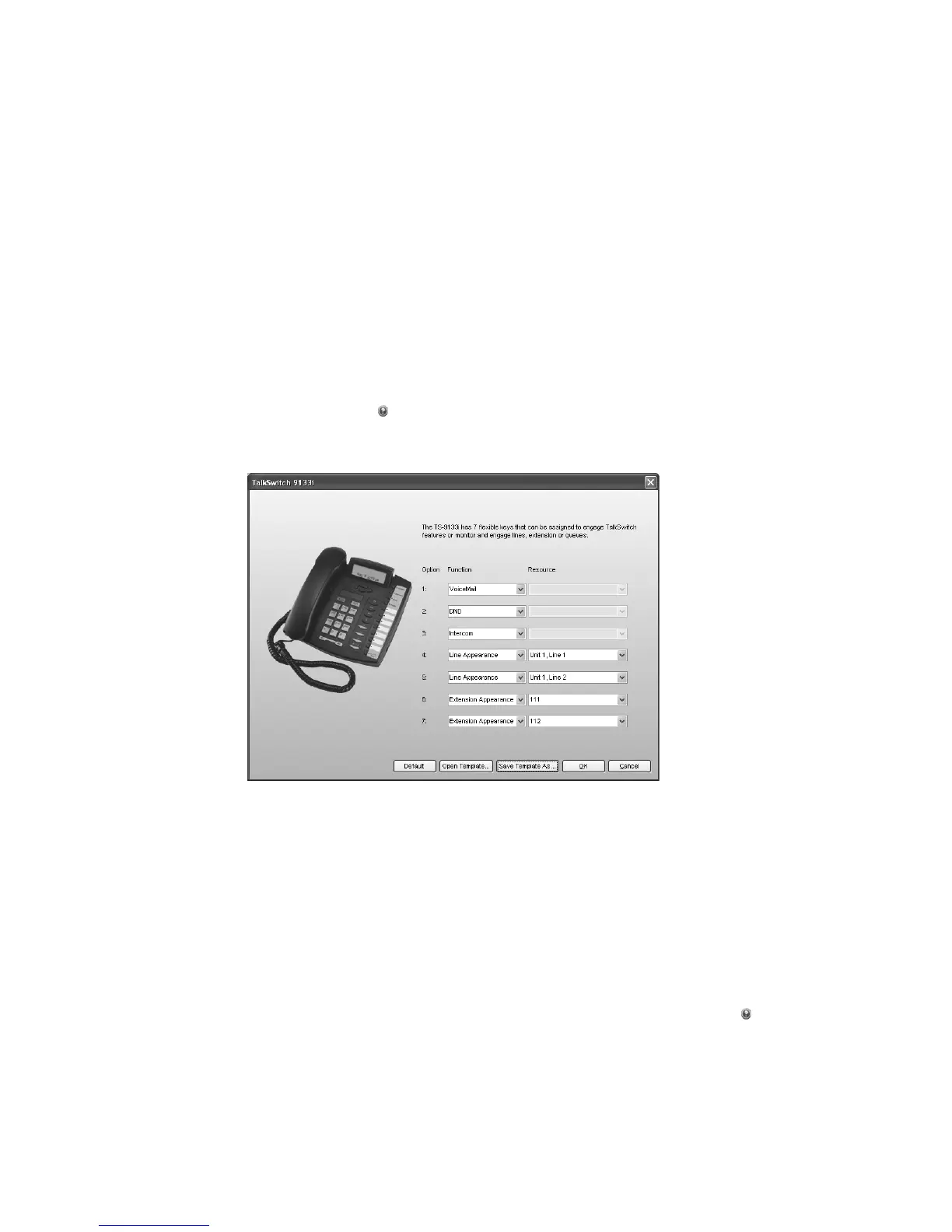
Programming TS-9133i or TS-9143i function keys
1. Click Configure Keys. This button is enabled if the IP Extension Details area is complete. The
TalkSwitch 9133i window appears.
2. For each key, select the Function and the Resource (if applicable). The function keys can be
assigned for Line Appearance, Extension Appearance, Voicemail, Do Not Disturb (DND), Park,
Unpark, Call Pickup (any or specific extension), Intercom Page, or Overhead Page. For further
details, click the Help icon in the IP Extension Details area.
3. Optionally, you can apply predefined key assignments from a template file using the Open
Template button. See Using a key assignment template on page 8.
If necessary, use the Default button to restore the keys to their default settings.
4. Your key assignments can be saved as a template for programming additional phones. See
Saving a key assignment template on page 8.
Programming TS-480i softkeys
1. Click Configure Keys. This button is enabled if the IP Extension Details area is complete. The
TalkSwitch 480i window appears.
2. Select up to 14 softkey options. For each option, select the Function and the Resource (if
applicable). The function keys can be assigned for Line Appearance, Extension Appearance,
Queue Appearance, Voicemail, Do Not Disturb (DND), Park, Unpark, Call Pickup (any or
specific extension), show Queue, or Overhead Page. For further details click the Help icon
in the IP Extension Details area.



 To Next Page