ADDING IP PHONES TO TALKSWITCH 20
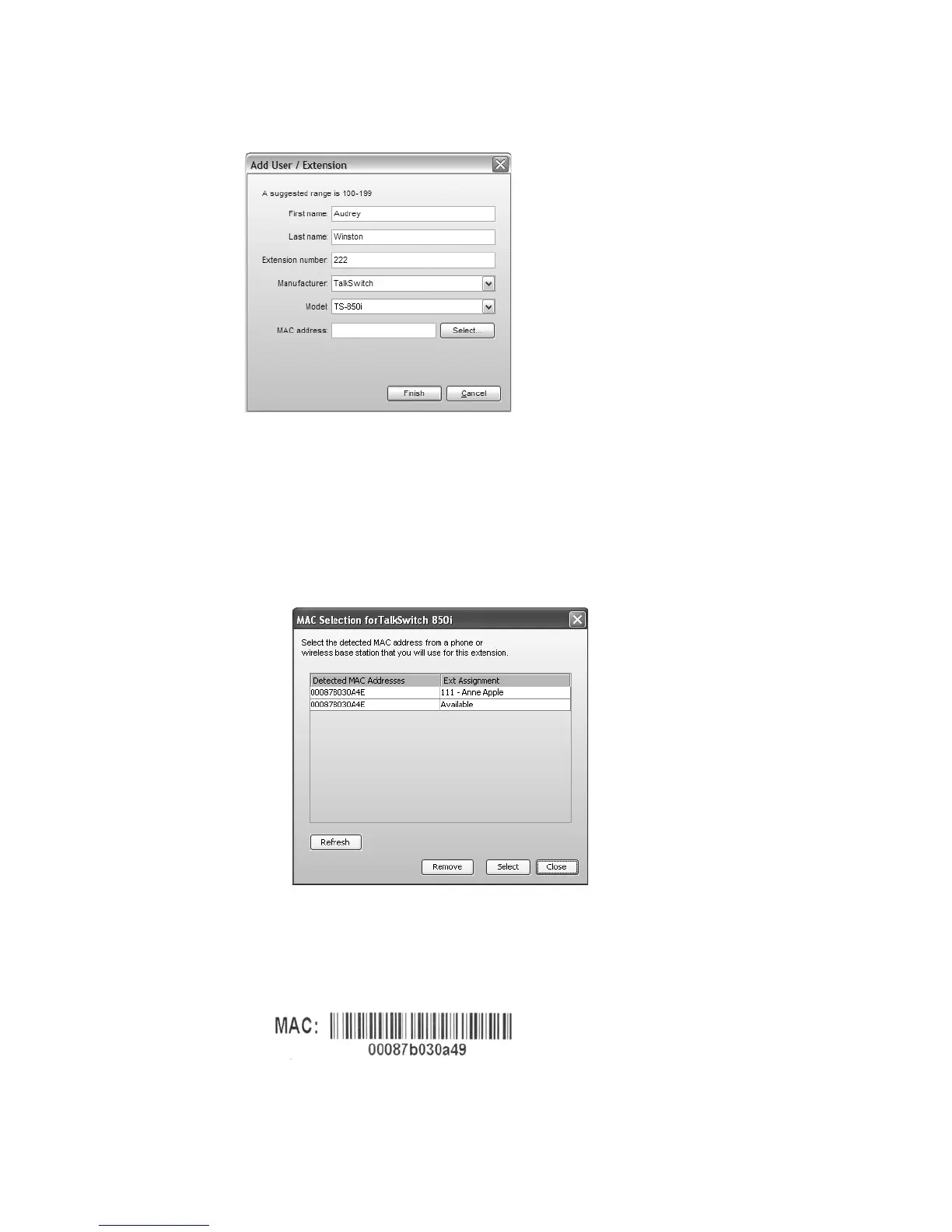
6. Enter the user’s First Name and Last Name. The names are used for caller ID and the dial-by-
name directory.
7. Assign an Extension number.
8. Select TalkSwitch as the Manufacturer, and then select the model.
9. Enter the MAC address of the phone:
• You can select the Phone MAC Address from a list of automatically-detected phones
connected to your LAN. To use this method:
i) Click the Select button. A MAC Selection window appears and lists TalkSwitch IP
phones of the selected type.
ii) Select the MAC address of the IP phone associated to the extension, and then click
Select.
• You can enter the Phone MAC Address manually. This is the required method if you are
setting up an external IP extension. The MAC Address is a 12-digit alphanumeric string
located in the barcode on the bottom of the phone and the box the phone came in.
Note that multiple IP extensions can share the same base.



 To Next Page