EasyManua.ls Logo

Tally Dascom 5130P - Interfaces; Parallel Interface; USB Interface; Serial Interface

Tally Dascom 5130P
95 pages
Print Icon
To Next Page IconTo Next Page
To Previous Page IconTo Previous Page
Loading...
T
ally Dascom 5130P
44
9 Interfaces
Parallel
Interface
Parallel
Interface Pin Assignment
Pin
Signal
Name
Signal
Transmission
1 STROBE,¯¯¯¯¯¯
Printer
I
Computer
2~9 D
A
T
A
Printer
I
Computer
10
A
C
K,¯¯¯
Printer
J
Computer
11
BUS
Y
Printer
J
Computer
12 PE
Printer
J
Computer
13
SELECT
Printer
J
Computer
14
AFXT
,¯¯¯¯
Printer
I
Computer
15
U
n
used
U
n
used
16
GN
D
Printer
Q
Computer
17 F
-
GN
D
Printer
Q
Computer
18
+5V
Printer
J
Computer
19~30
GN
D
Printer
Q
Computer
31
IN
I
T
,¯¯¯¯
Printer
I
Computer
32 FAULT,¯¯¯¯¯
Printer
J
Computer
33
GN
D
Printer
Q
Computer
34
U
n
used
U
n
used
35
FUSE
Printer
J
Computer
36 SLCTIN,¯¯¯¯¯¯
Printer
I
Computer
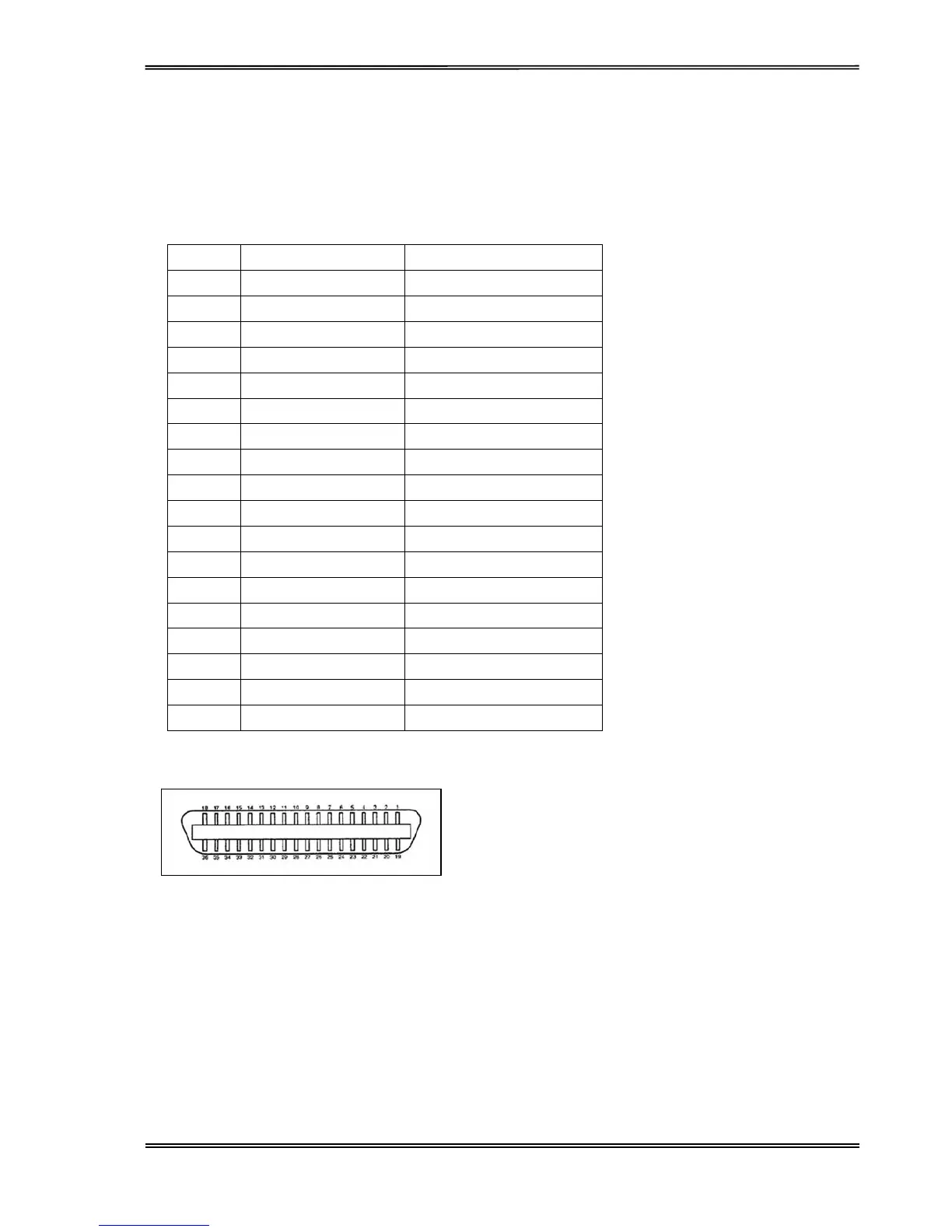
Parallel
Interface
Connector
Diagram
Note: Any
external devices
connected to the
parallel
port
should
not draw
current exceeding
200 mA from pin
18;
otherwise
it may affect the
printer operation.
USB Interface
The USB
i
n
te
rf
ace
conforms
to the
Universal Serial
Bus 2.0
Spe
c
i
f
ication
s. It
supports
the
Full
Speed mode at
12 Mbps. It uses the “B” type USB connector.
Serial
Interface
RS232C
(9-pin
Sub-D male Interface)

Related product manuals