7
●
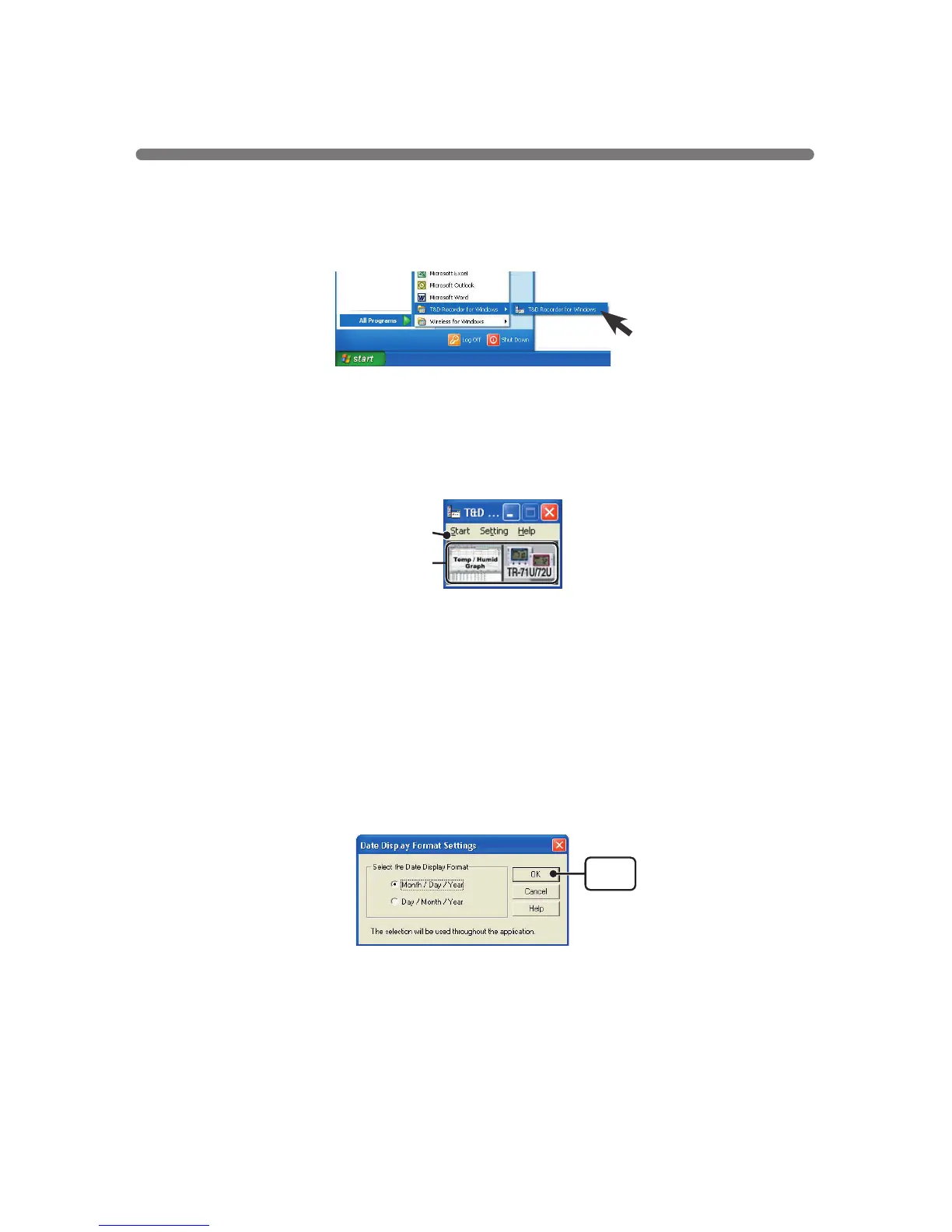
Menu Bar
The menus along the bar contain various helpful commands. From each
menu, you can select commands to view or make settings for each of the
device types.
[Setting] Menu:Date Display Format Settings
The date format chosen will be applicable for all sections of the software
including graphs and setting displays.
1.In the [View] Menu, select "Date Display Format Settings".
2.Check either "Month/Date/Year" or "Date/Month/Year".
3.By clicking the [OK]button, the setting will be completed.
●
Icons
By clicking an TR-71U
/
72U icon, you can open the Settings and
Communication Display.
You can also open the Settings and Communication Display from the
[
Start
]
Menu in the Menu Bar.
◆
Main Window
Upon opening
[
T&D Recorder for Windows
]
, a launcher program will appear
with several icons lined up, By clicking on an icon, a graph display or a
settings
/
communication display for the selected type of device will appear.
◆
How to Open
To open, in the Windows Start Menu, under Programs, click
[
T&D Recorder
for Windows
®
].
Menu Bar
Icons
Using the Software
[OK]
button



 To Next Page