19
【
Temp Unit in Display
】
Check one
of these
◆ 「
Settings
」
Menu
:
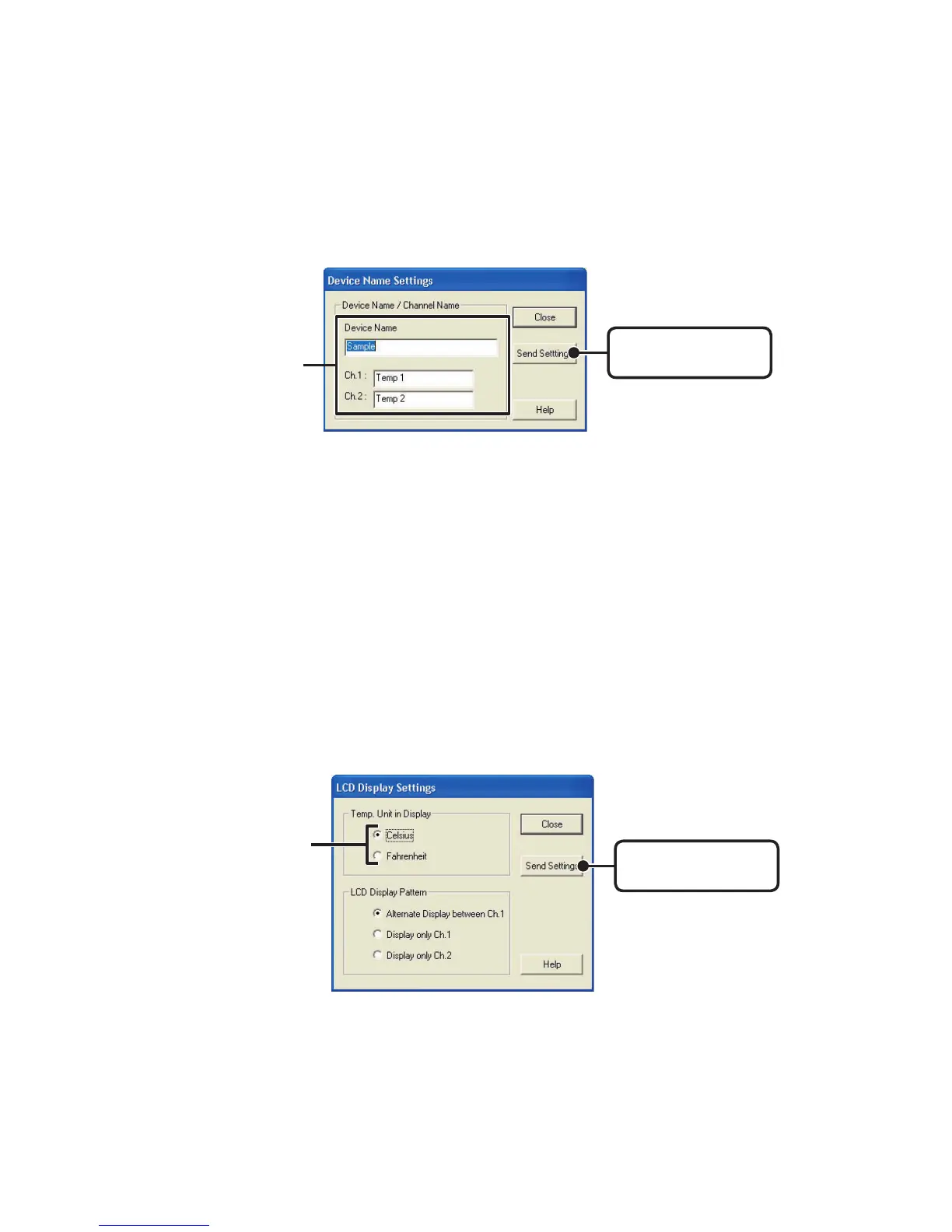
Device Name Settings
Settings can be made for Device Names and Channel Names.
1.Enter a name.
●
Device Name: up to 16 characters
●
Channel Name: up to 8 characters.
2.
By clicking the
[
Send Settings] button, the changes will be completed.
[
Send Settings
]
button
Enter a name
◆ 「
Settings
」
Menu
:
LCD Display Settings
Settings can be made for the Thermo Recorder’s LCD display, such as,
changing the temperature unit and turning the display on or off.
[
Send Settings
]
button
1.Check either Celsius(℃ ) or Fahrenheit( ゜F).
2.
By clicking the
[
Send Settings] button, the changes will be completed.



 To Next Page