18
◆ 「
Communication
」
Menu
:
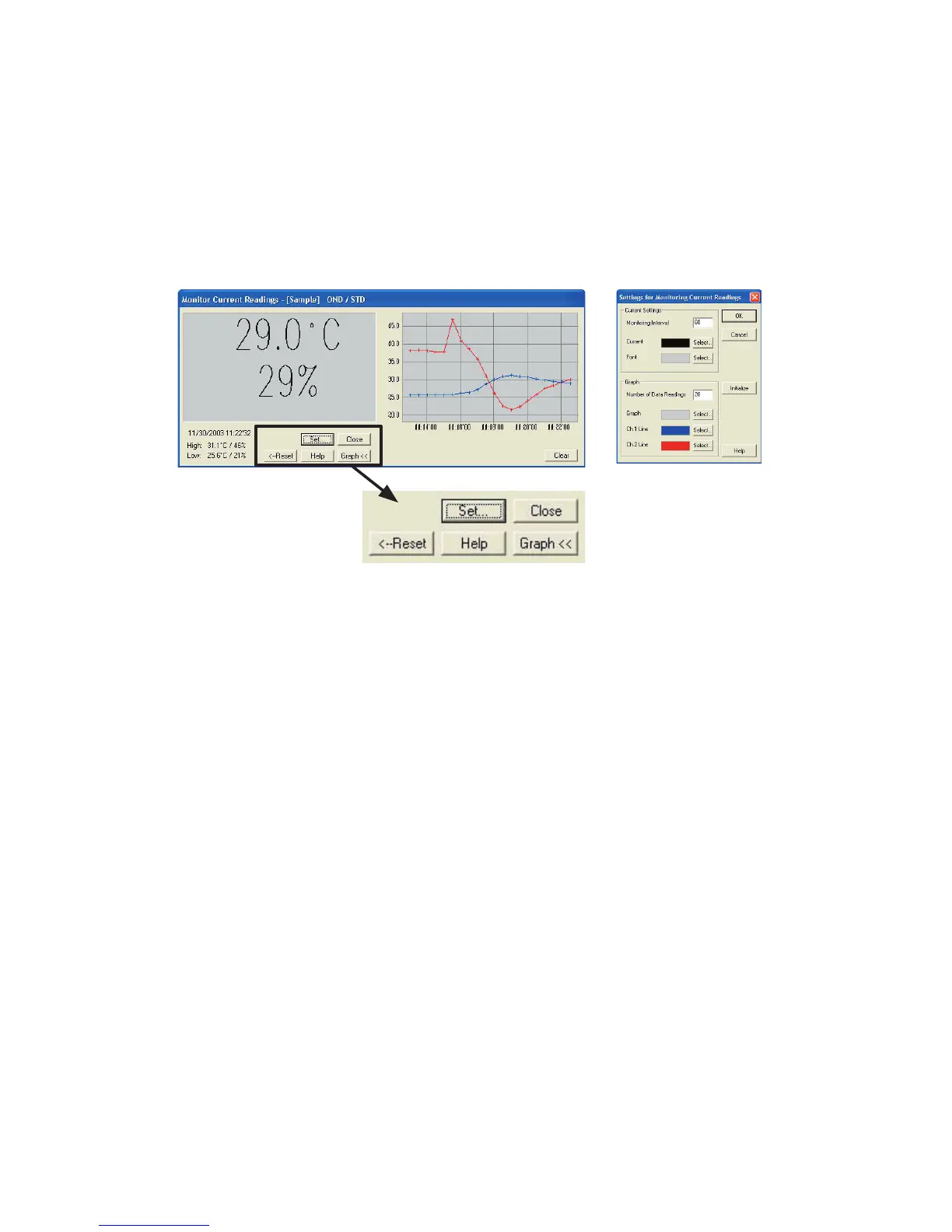
Monitor Current Readings
You can monitor at set intervals the current readings of data logger or loggers
selected from the device list and have those readings displayed.
《
Settings Display
》
[
Settings
]
button: This opens a window where settings can be made for the
display colors and the monitoring interval for current
readings.
[
Close
]
button: Quit the Monitoring of Current Readings
[
Reset
]
button: Click to reset the display for highest and lowest
measurements; the new display will show highest and
lowest measurements from the time of resetting.
[
Graph
]
button: Click this to hide or view the graph.
[
Clear
]
button: Clicking this will clear the graph and a new graph will be
drawn from that point.
◆ 「
Communication
」
Menu
:
Search for TR-71U
/
TR-72U
If a TR-71U or TR-72U is connected, but does not show up in the Device List,
click this to search for Thermo Recorders by scanning the USB ports.



 To Next Page