IMPORTANT SAFETY INSTRUCTIONS
TASCAM 202MKV 11
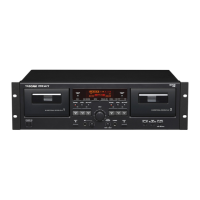
2 − Features of the 202m k V
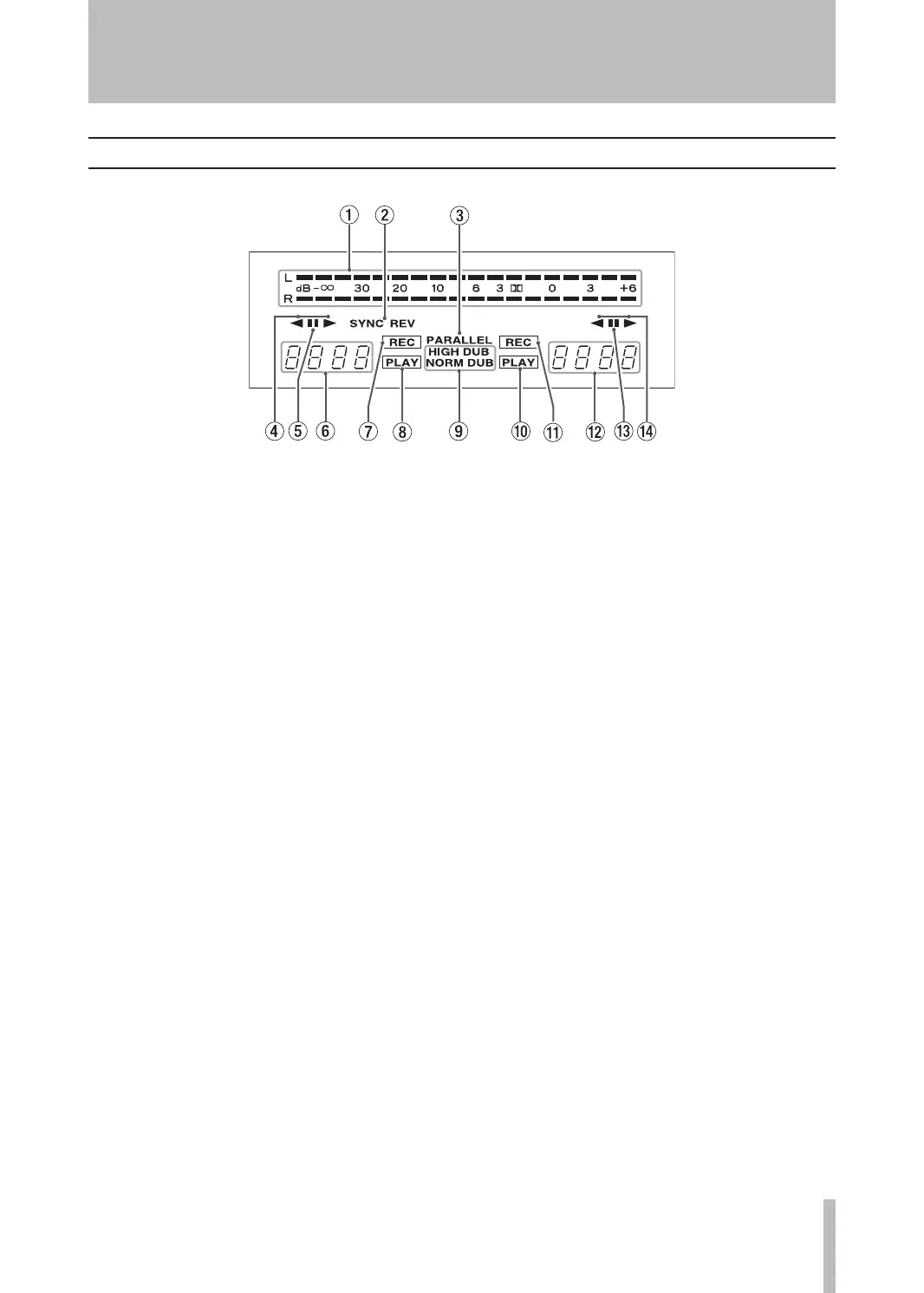
Display
1Peak level meter
Thisshowsrecordingandplaybacklevels.
2SYNC REV
Thisindicatorlightswhenthesynchroreversedub-
bing function is switched on.
3PARALLEL
Thisindicatorlightstoindicateparallelrecording
is taking place.
4 Playback/recording direction indicator of TAPE
1 deck
5Pause indicator
ThisindicatorlightswhentheTAPE1deckistem-
porarilystopped.
6Tape counter of TAPE 1 deck
Thetapecounterindicatestherelativepositionof
thetape.Youcanresetthecountertozerowhenever
youwant.
WhenanA-Brepeatoperationison,RE is shown.
7Record indicator
ThisindicatorlightswhentheTAPE1deckisin
recordmode.
8Play indicator
ThisindicatorlightswhentheTAPE1deckisin
playmode.
9Dubbing indicator
NORMAL DUBlightsduringnormalspeeddubbing,and
HIGH DUBlightsduringhighspeeddubbing.
0Play indicator
ThisindicatorlightswhentheTAPE2deckisin
playmode.
qRecord indicator
ThisindicatorlightswhentheTAPE2deckisin
recordmode.
wTape counter of TAPE 2 deck
Thetapecounterindicatestherelativepositionof
thetape.Youcanresetthecountertozerowhenever
youwant.
WhenanA-Brepeatoperationison,RE is shown.
ePause indicator
ThisindicatorlightswhentheTAPE2deckistem-
porarilystopped.
rPlayback/recording direction indicator of TAPE
2 deck


 To Next Page