IMPORTANT SAFETY PRECAUTIONS
16 TASCAM 202MKV
4 − Recording
Recording (either TAPE 1 or TAPE 2)
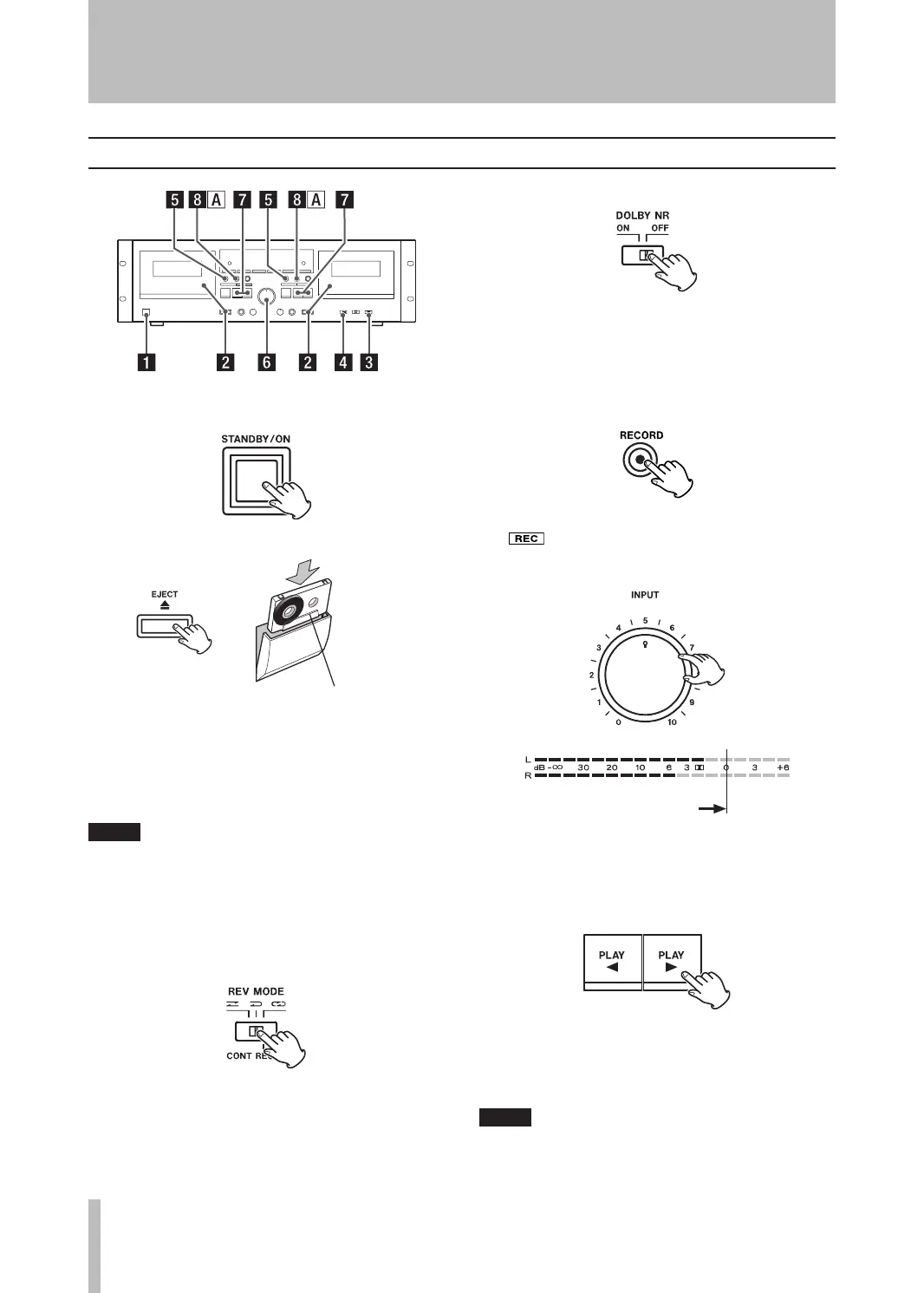
1. Turn on the power.
2. Load a tape for recording.
Side “A” facing you
Press the EJECT (ø) key to open the cassette
compartment. Insert the cassette tape with its
open edge facing down, side “A” facing you.
Then close the cassette compartment by push-
ing in the cassette door until it clicks shut.
If the erasure prevention tabs of the loaded cas-
•
sette tape have been broken off, stick a piece of
adhesive tape over the hole(s).
With this cassette deck you can use Normal (Type
•
I) and Chrome (Type II) tapes for recording.
3. Set the REV MODE switch.
Ä: Set to this position to record on one side
only.
Ê or ä: Set to either of these positions to
record on both sides.
4. Set the DOLBY NR switch.
Set the switch to ON to record with Dolby Noise
Reduction.
Set to OFF to record without Dolby Noise Reduc-
tion.
5. Press the RECORD (º) key.
The deck enters the record-pause mode. π and
will light on the display.
6. Adjust the recording level.
Start playback of your recording source and set
the INPUT control knob so that the level meter
indicates “0 dB” at peaks.
7. Set the recording direction.
Recording is made in the direction indicated by
the play/record direction indicator (˙/¥). To
change this direction, press the opposite direction
PL AY (˙ or ¥) key.
Be careful not to press the PLAY (˙ or ¥) key
whose arrow points in the same direction as the
indicator. Doing so will start recording.
4 − Recording


 To Next Page