IMPORTANT SAFETY INSTRUCTIONS
TASCAM 202MKV 17
4 − Recording
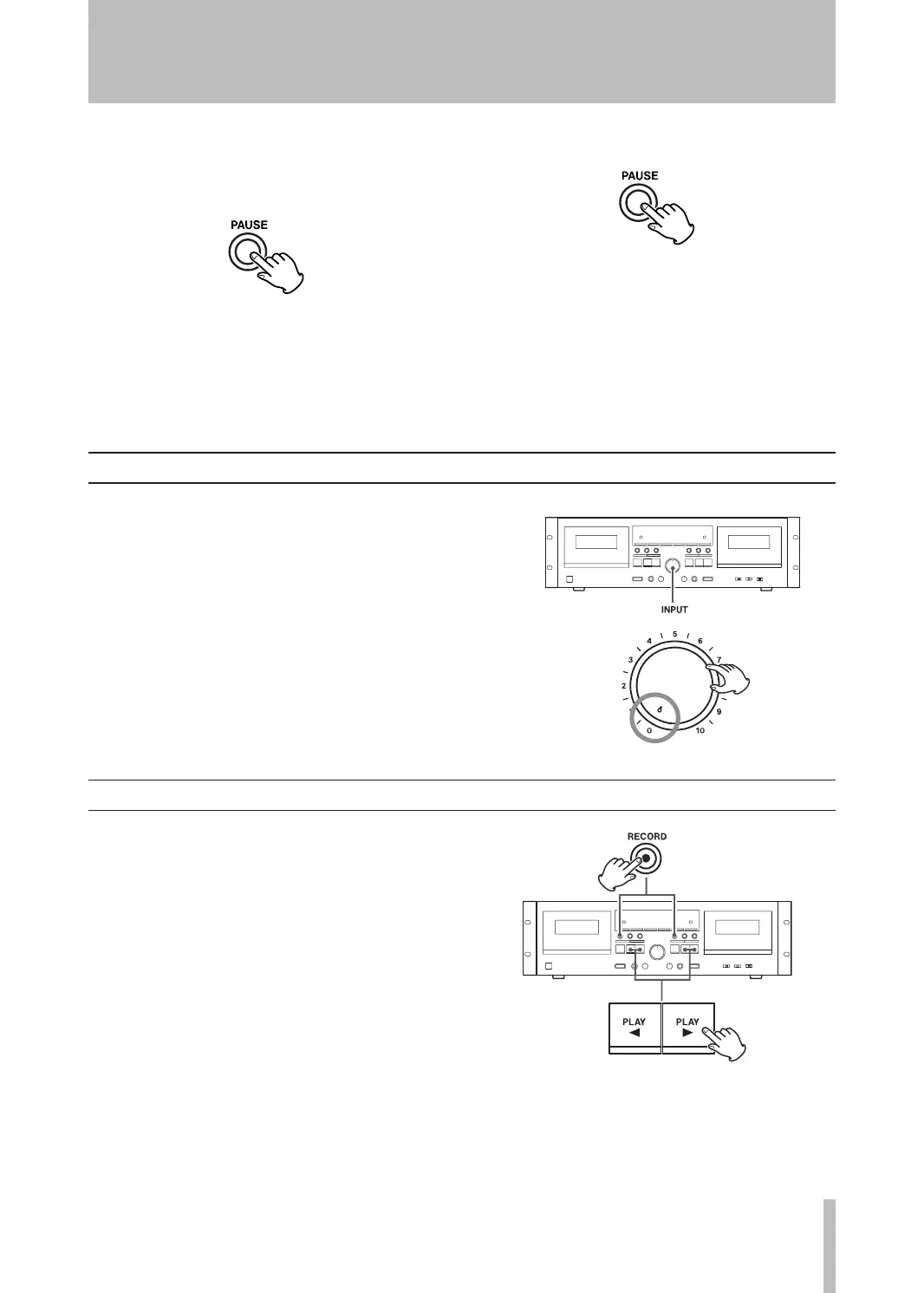
8. When everything is ready, start recording by
pressing the PAUSE key or the PL AY key whose
arrow points in the same direction as the indi-
cator.
To record on both tape sides, set the REV MODE
switch to Ê or ä and press the forward PL AY
(y) key. If you press the reverse PL AY (h) key,
recording will be done only on side “B”.
To stop recording, press the STOP (ª) key.
A To stop recording temporarily
Press the PAUSE key to stop recording temporarily.
A second press of the key resumes recording.
To erase recordings
When you make a recording, the tape is overwritten
(previous recording is erased). To erase a tape without
making a new recording, set the INPUT control to the
minimum (0) position and press the RECORD (º) key
followed by the PL AY (h or y) key.
Quick record start
Hold down the RECORD (º) key and press the PL AY
(h or y) key corresponding to the direction you
want the tape to run.


 To Next Page